Krevaya
What can I connect today?
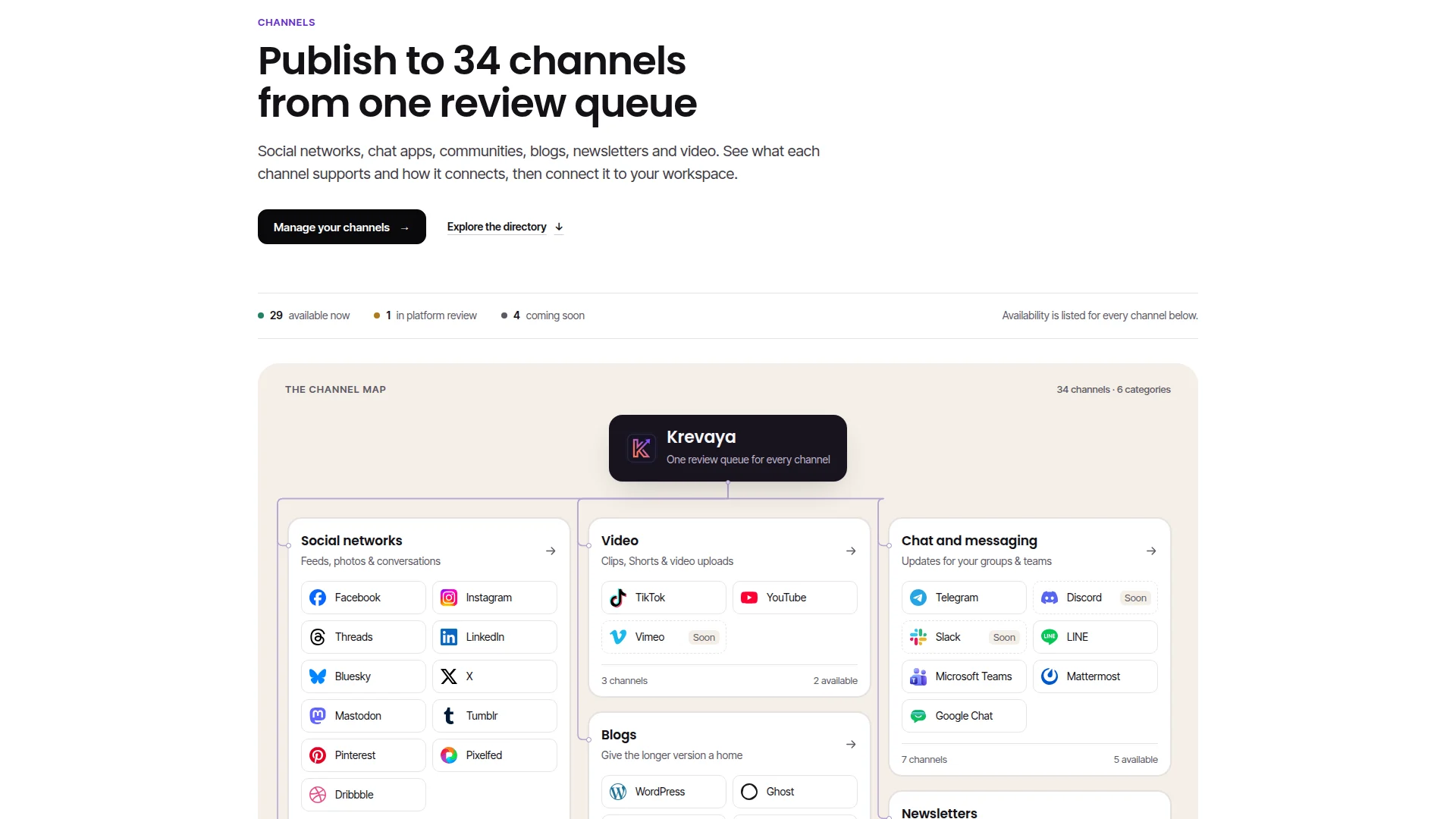
As of November 17, 2026, Krevaya's channel catalog has 34 channels in six groups. You can connect 29 of them on any paid plan:
- Social networks: Facebook, Instagram, Threads, LinkedIn, Bluesky, X, Mastodon, Tumblr, Pinterest, Pixelfed and Dribbble
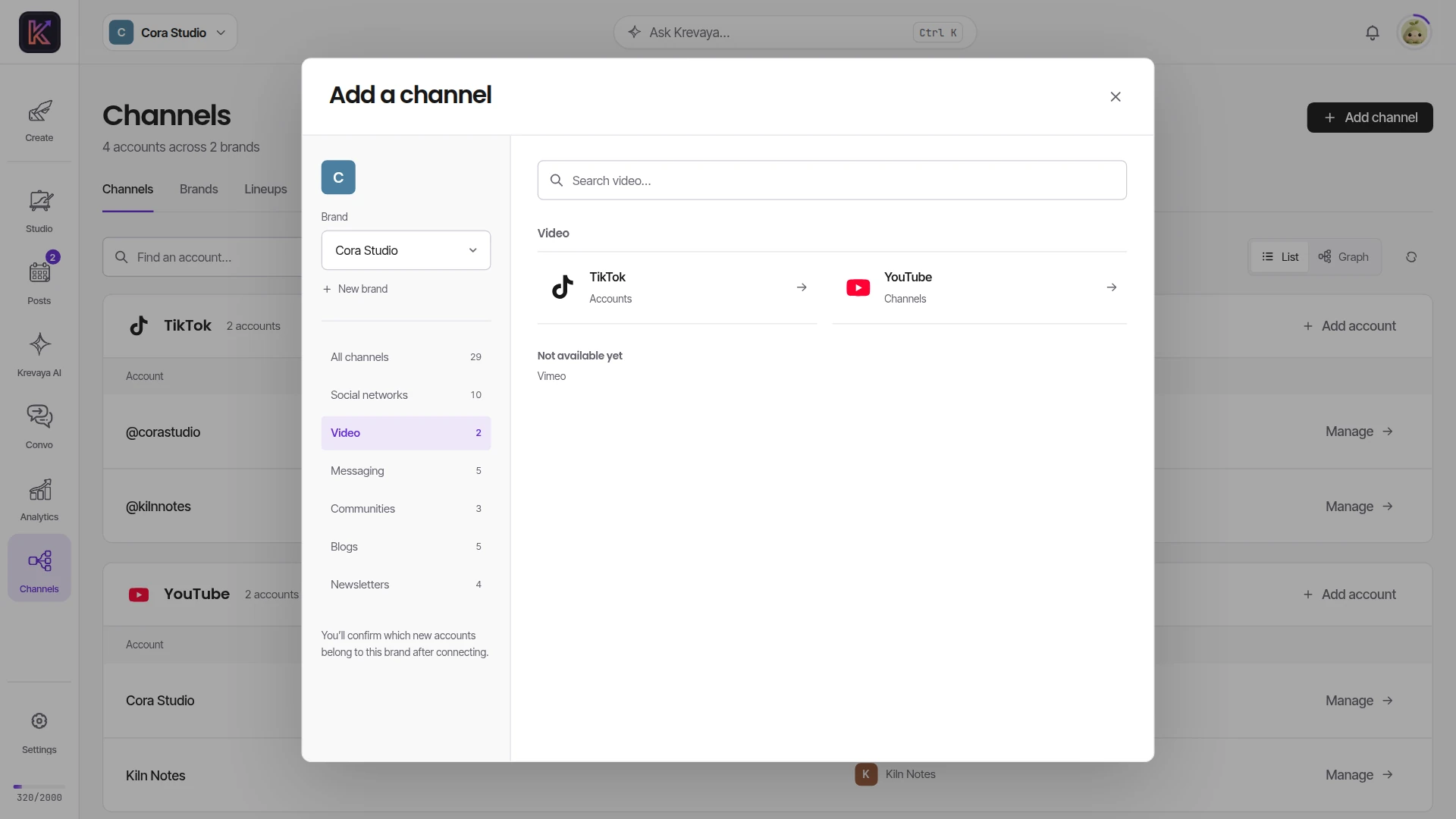
- Video: TikTok and YouTube
- Chat and messaging: Telegram, LINE, Microsoft Teams, Mattermost and Google Chat
- Communities and forums: Lemmy, Discourse and Circle
- Blogs: WordPress, Ghost, Dev.to and Hashnode
- Newsletters: Beehiiv, Buttondown, Kit and Listmonk
Reddit's approval of Krevaya's commercial use of its API is still pending, so only preview accounts can connect Reddit for now. Discord, Slack, Whop and Vimeo are coming soon. Krevaya's apps for them are still being registered with each platform, so they cannot be connected yet, and each one will appear on the Channels page the day it is live.
Pinterest and Tumblr posts always wait for your approval. Pinterest's guidelines and Tumblr's API terms ask that a person choose each post, so auto-publish, bulk approval, Krevaya AI and apps connected through MCP or the API never approve them.
The Channels directory on krevaya.com has a page for every channel with the formats it takes, how it connects, what the review card asks for and its limits.
Which plan do I need for X?
X is included on every paid plan, starting with Essentials at $19 a month. It takes posts of up to 280 characters with up to four pictures or one video.
X's API charges Krevaya for every post, so each plan includes a number of X posts a month and, within that, a smaller number of posts with a link. Essentials and Plus include 60 X posts a month, 5 of them with a link, and higher plans include more. The month runs on UTC and counts every brand on your account together. The posting limits guide has the numbers for every plan.
Connecting X failed between October 22 and November 4. The sign-in request Krevaya sent was longer than X accepts, so X refused it. A fix on November 4 corrected it. If X turned you away in that period, connect it again.
How do I connect Telegram?
Telegram opened on November 8. It connects through Krevaya's bot. In Telegram, add @KrevayaBot as an administrator of your channel or group with permission to post messages. Then enter the channel's @handle on the Channels page, or the numeric chat id for a private group. Krevaya checks that the bot is an administrator before it saves anything, and removing the bot from the channel ends the connection.
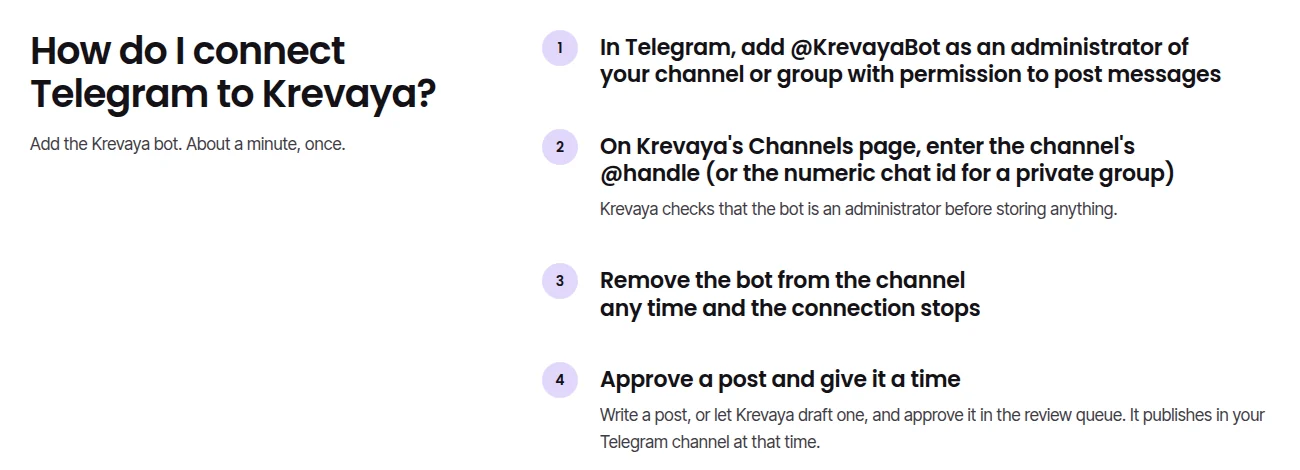
How Telegram connects, on the Telegram channel page on krevaya.com.
A Telegram post can be a message of up to 4,096 characters, up to ten photos sent as one album, or one video with a caption. A photo caption holds 1,024 characters, so a longer post goes out as the album followed by a message. Posts in a public channel get a link to the message; posts in a private group do not.
What does the Channels page look like now?
Connections has been called Channels since October 19. Links to /connections and /dashboard/connections still redirect to Channels and keep their query, so a bookmarked Lineups link still opens Lineups.
Since October 23, Channels lists your connected accounts grouped by platform, each with the brand it posts for. You can search by account, brand or platform, and filter by brand when you have more than one.
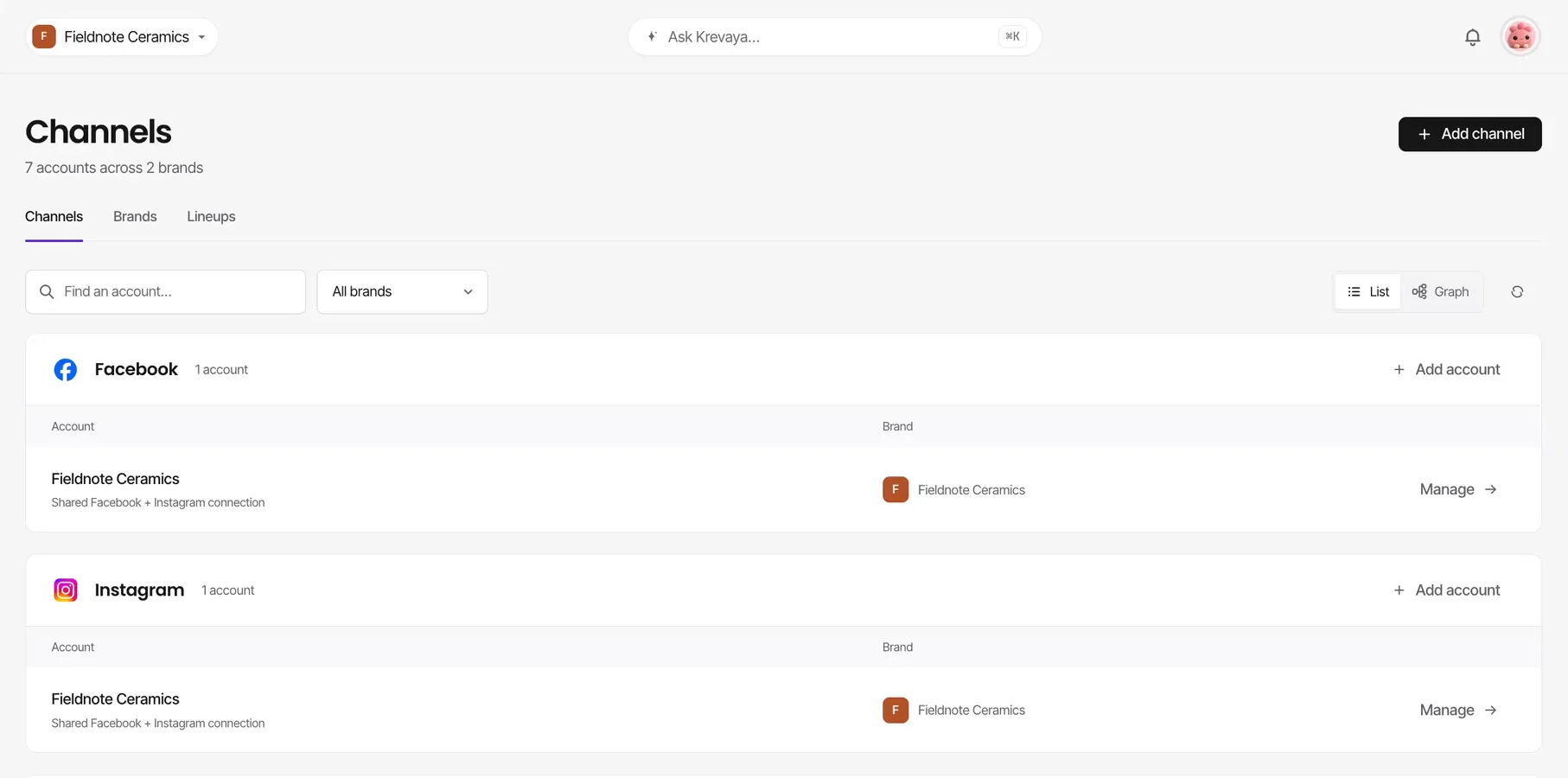
The Channels page in List view. A frame from the Channels setup film on krevaya.com/channels, recorded with fictional sample accounts.
The Graph view shows the same accounts as a map from your workspace to your brands and from each brand to its accounts. Every brand has its own Add channel and Settings.
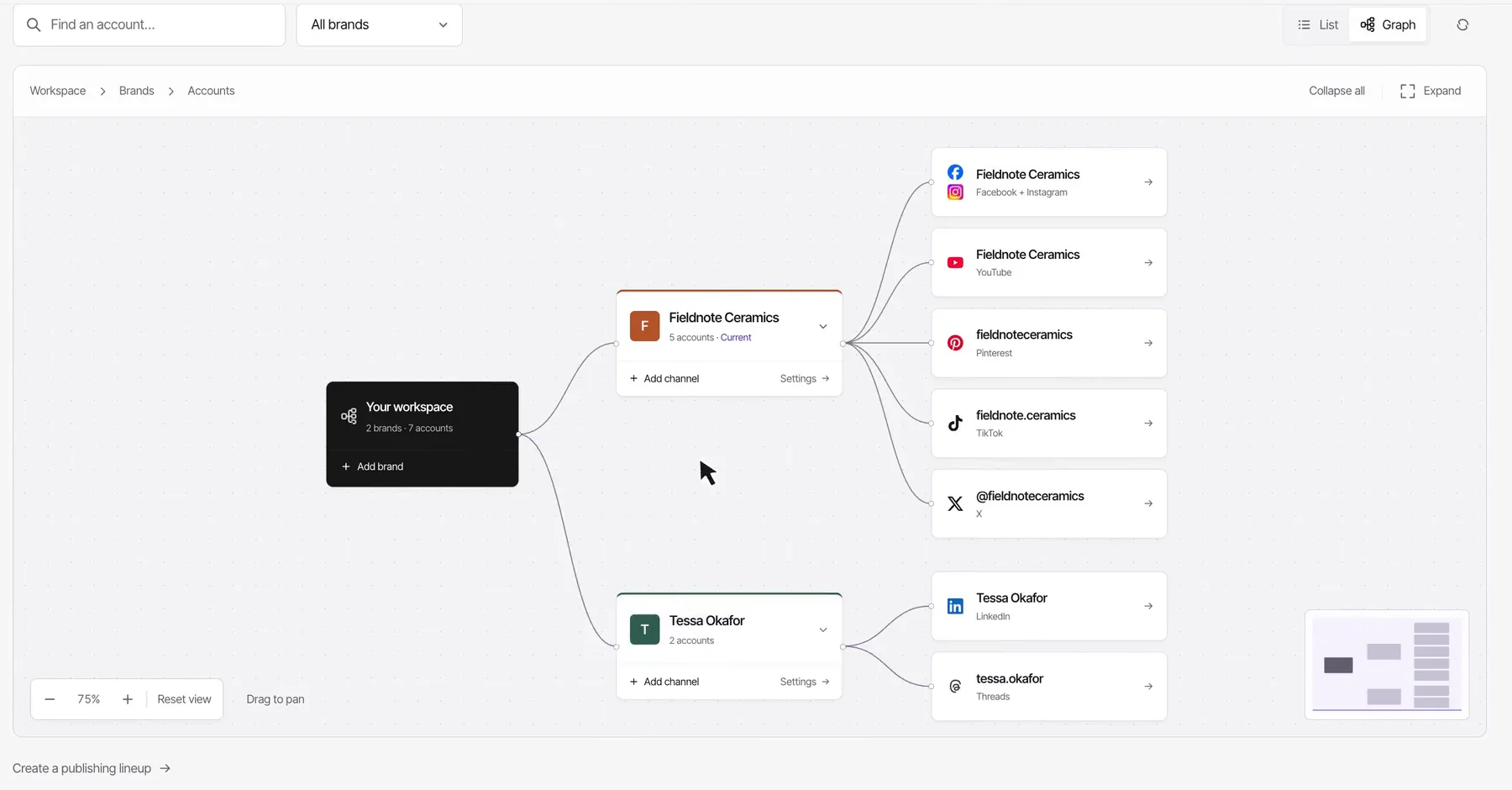
The Channels page in Graph view. A frame from the same film, with fictional sample accounts.
Add channel opens the catalog by category, with a search box. You choose the brand first, and after you connect, Krevaya asks you to confirm which new accounts belong to that brand. Add brand asks for a name and a color, then opens the catalog for the new brand. The Lineups tab, included from Essentials, saves groups of channels you post to together.
When does a connection say "Reconnect needed"?
Since November 16, a connection shows "Reconnect needed" only when the platform has ended its sign-in. That release fixed these cases:
- X refreshed its sign-in on every step of a send. That held some X posts and flagged connections that still worked. It now refreshes once per send.
- Disconnecting TikTok or YouTube in one Krevaya account no longer cuts off another Krevaya account that uses the same TikTok account or YouTube channel.
- When Facebook, Instagram, Threads, Bluesky, LinkedIn or Hashnode ends a sign-in, or a Microsoft Teams, Google Chat or Mattermost webhook is deleted, Channels now shows it. Before, some of these still read as connected until a post failed.
- A daily job keeps rarely used TikTok, X, Tumblr, Reddit, Discourse, Mastodon and Pixelfed connections active.
- LinkedIn's sign-in lasts a year from the first connect, and Krevaya now reminds you 14 days before it ends.
- A Bluesky handle change no longer breaks the connection.