Krevaya
What changed on the Essentials plan?
Until now, MCP and API access started with Plus at $29 a month. As of November 17, 2026, they are part of every paid plan, starting with Essentials at $19 a month ($190 a year). The Essentials price does not change.
Essentials now includes:
- the hosted MCP server at
https://api.krevaya.com/mcp - the REST API and the GraphQL beta
- HMAC-signed webhooks, up to five endpoints
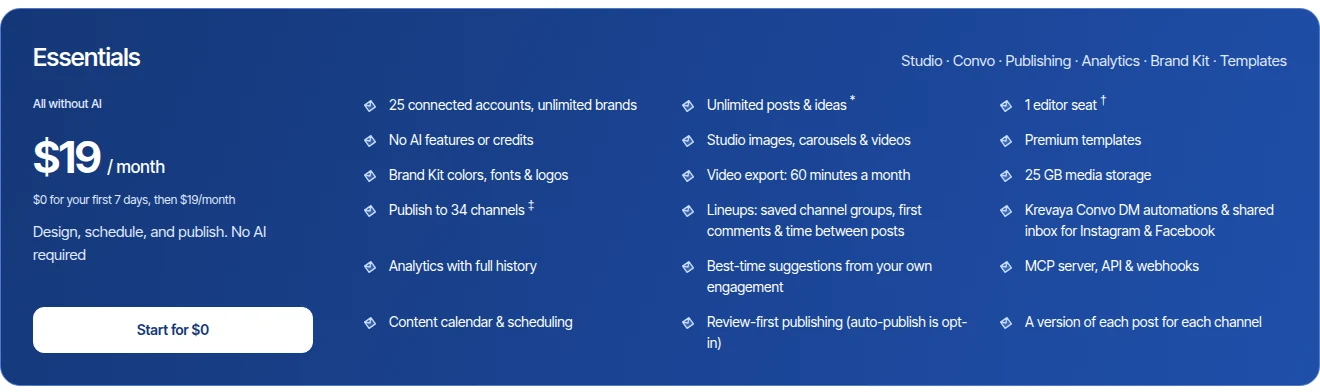
Essentials still has no Krevaya AI and no AI credits. The difference is that an AI app you already pay for can now work inside your Krevaya account. You ask it in your own words, it reads your account through MCP, and every change goes through the same checks as the Krevaya app.
What can my AI app do in Krevaya on Essentials?
Once it is connected with the permissions you choose, your AI app can:
- read your posts, drafts, queue and analytics, and the best times to post from your own engagement
- write a post and save it as a draft, or edit the copy of a draft
- build a Studio creation layer by layer, edit the layers of one you made, and preview it
- upload images and videos from a link to your media library
- schedule posts, including to a saved Lineup of channels
- export a video creation to MP4, within your plan's export allowance of 60 minutes a month and 10 exports a day
- work with your Krevaya Convo DM automations and conversations
Your AI app writes the copy, and Krevaya keeps the draft and publishes it at the time you set.
What still needs Plus?
The tools that run Krevaya AI stay on Plus and higher. That covers drafting a week of posts, repurposing a link or a piece of text, composing a creation from a brief, video scripts, AI video edits, reply drafts and Routines. An Essentials connection does not list these tools, so your AI app is never offered something it cannot use. With every permission turned on, it sees 60 of the server's 72 tools.
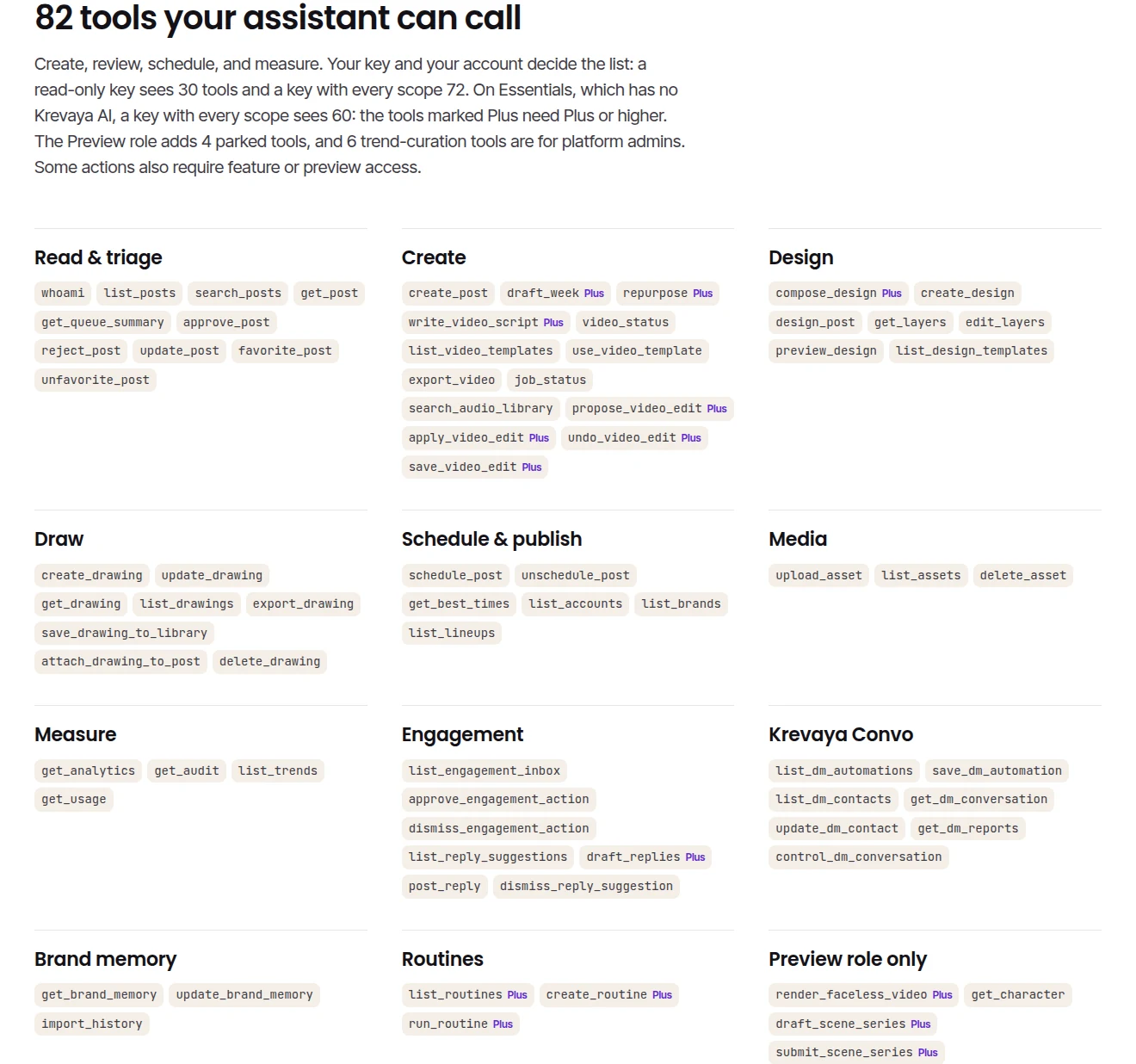
Plus costs $29 a month and adds 2,000 AI credits a month, Krevaya AI, Routines, AI image generation and AI edits in Studio, AI video edits and Krevaya Radar.
How do permissions and review work?
When you connect an app, you choose what it may do:
- View content reads your posts and analytics.
- Create & publish posts creates, edits, approves and schedules posts.
- Export & import exports videos, imports your published posts and corrects your brand memory.
- Manage media uploads assets.
- Reply to comments & DMs sends replies and messages as you. Turn it on only if the app needs it.
A post your app creates is saved as a draft unless the app gives it a time. With Create & publish posts, the app can also approve and schedule posts, and a scheduled post goes out at its time. Pinterest and Tumblr posts always wait for your approval in Krevaya. Without Create & publish posts, the app cannot create or change posts.
You can see every connected app, and when it was last used, in Settings → API keys & MCP, and revoke its access there at any time. Each account can make 120 requests a minute across MCP, REST and GraphQL.
How do I connect my AI app?
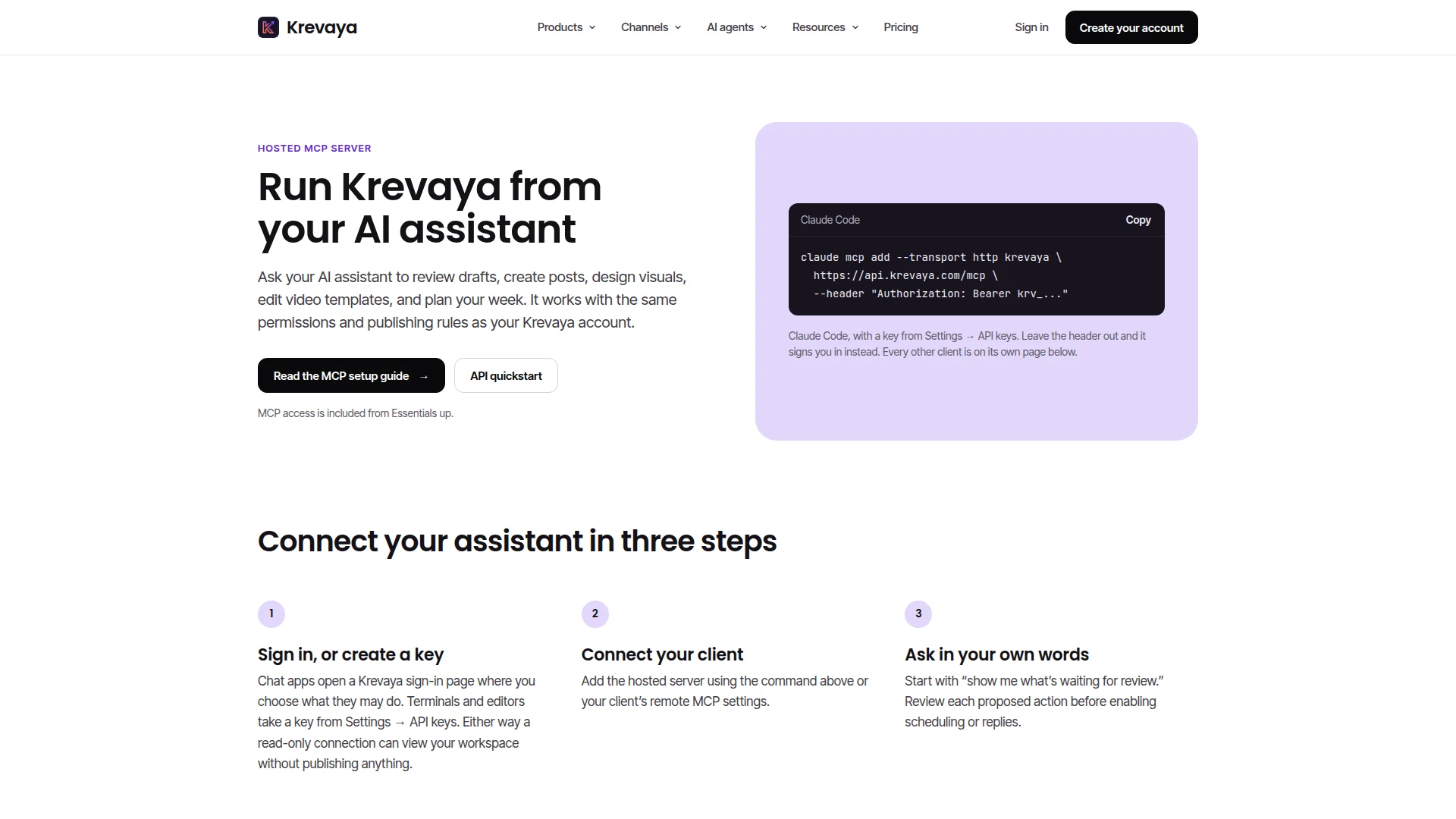
- Claude, ChatGPT or the Gemini app: add
https://api.krevaya.com/mcpas a custom connector in the app, sign in to Krevaya when it asks, and choose the permissions. - Claude Code, Codex, Cursor, VS Code Copilot or Gemini CLI: in Krevaya, open Settings → API keys & MCP, create a key, and copy the setup line shown for your app.
What an AI app allows can depend on your plan with that app; some limit custom connectors to certain plans. The setup guide for each app lists what it needs, and the MCP server page lists every tool and the plan it needs.