Run your social media from Claude Code: a practical MCP playbook
Connect your content pipeline to an MCP client, keep publishing behind a review gate, and run a repeatable session. Includes prompt patterns and an evaluation scorecard.
The short answer
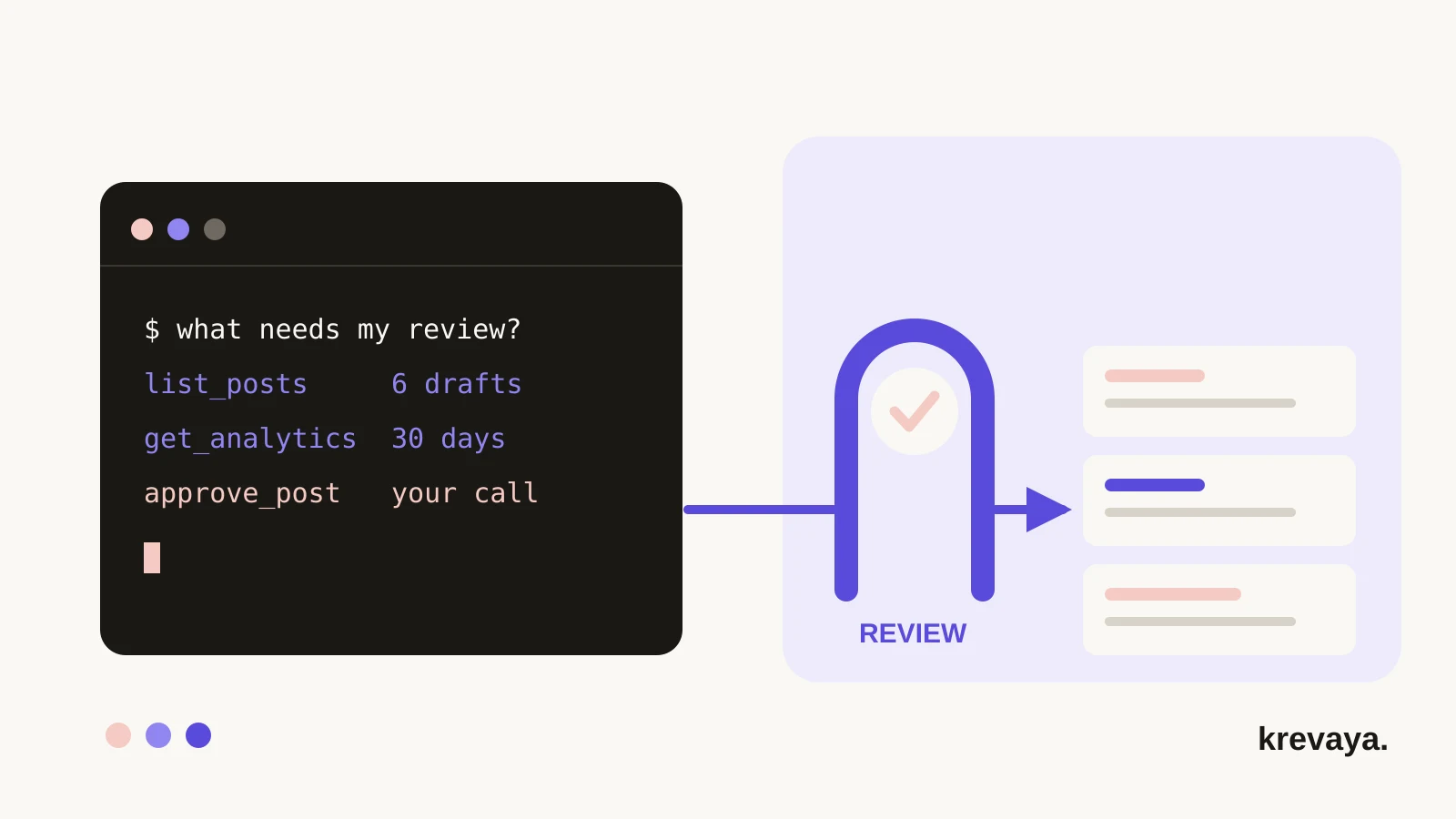
A social media MCP server exposes your content pipeline as tools an AI client can call, so you can triage drafts, schedule posts, and read results from Claude Code, Cursor, or Codex instead of switching to a dashboard. The interesting part is not the calling. It is the boundary: the scopes on your API key decide what the agent can touch, and publishing stays behind a review step unless you hand that authority over.
What to take away
- Scope the key before you write the prompt. A read-only key is a boundary the software enforces; an instruction is not.
- Run every session in one order: read results, triage drafts, schedule, then generate more.
- Evaluate any server on six things: auth scope, review gate, idempotency, rate limits, audit trail, and events out.
What is a social media MCP server?
The Model Context Protocol is an open standard for connecting AI applications to outside systems. A server publishes tools with typed inputs; a client such as Claude Code, Cursor, Codex, or Windsurf lists them, calls what it needs, and shows you the results. The protocol specification defines the handshake, the schemas, and the annotations clients use to decide what to approve without asking.
A social media MCP server is that standard applied to a content pipeline: list the drafts, create a post, schedule it, read what performed. The argument for connecting one is not fewer clicks. It is fewer transcriptions: your assistant already holds the context you would otherwise describe a second time.
| Job | In a dashboard | From an agent client |
|---|---|---|
| Triage the queue | Read each card, click through | Ask for every draft with a recommendation |
| Plan a week | Fill the slots by hand | Ask for a theme built from the account's results |
| Read results | Open a separate report | Numbers arrive beside the decision |
The trust boundary: what an agent may and may not do
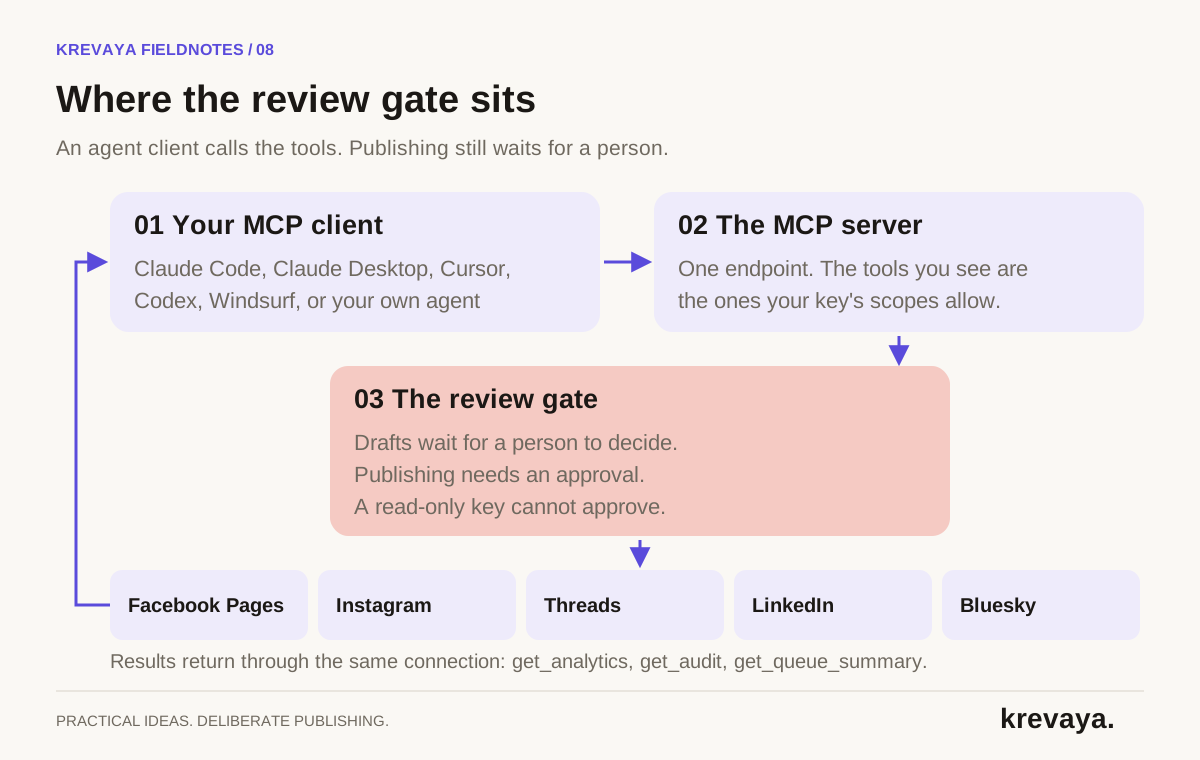
Two things decide what your agent can do: what the key allows, and what your prompt asked for. Only the first is enforced. A model can misread an instruction; it cannot call a tool its key does not carry. Scope is the boundary to reason about.
| Scope | What it unlocks | When to grant it |
|---|---|---|
| read | Posts, trends, analytics, queue counts | Always. A read-only analyst is still useful. |
| publish | Create, edit, approve, reject, schedule | When the agent should act on your decisions |
| generate | Draft a week, repurpose a source, write scripts | When it should produce material, not just move it |
| media | Upload and delete library assets | Only when it genuinely handles files |
Krevaya filters the tool list per key: a read-only key lists 21 tools, a full-scope key 51. That saves context as much as it protects you, since every listed tool costs prompt tokens.
Be precise about what review-first protects. A post created without a schedule time lands as a draft, and a draft cannot reach a network until it is approved. But approving is itself a tool, and a key with the publish scope can call it, or bypass the draft entirely by creating a post with a future timestamp. Review-first stops an accident. It does not overrule authority you chose to grant.
Connect a client in about two minutes
- Mint a scoped key. In Krevaya, Settings → API keys. Keys are revocable and you can hold ten, so a key per agent is cheap.
- Add the server. Krevaya's hosted endpoint is https://api.krevaya.com/mcp, authenticated with an Authorization: Bearer header.
- Verify. Ask the agent to call whoami. It returns the account and the scopes the key really carries.
- Read the tool list once. A missing tool means a missing scope, not a bug.
claude mcp add --transport http krevaya https://api.krevaya.com/mcp \
  --header "Authorization: Bearer krv_..."
Other clients want the same three facts in their own shape: a URL, a transport, and a header. Two settings cause most failed connections. Clients disagree on how a remote HTTP server is declared, and most default to a tool timeout near a minute, shorter than a real generation run. Raise it, and check the connection guide for your client's key names.
Krevaya also ships four sessions as protocol-level prompts, which most clients surface as slash commands: a content-ops pass, a weekly review, a repurpose run, and a themed-week plan. The review-first order travels with the connection.
A session recipe: read, triage, schedule, draft
The order is the method. Bad sessions start by generating, which leaves you triaging a bigger queue with no more information.
- Read the state. Queue counts, thirty days of results, any standing recommendation.
- Triage the drafts. One at a time, each with a recommendation and the evidence behind it.
- Reject with a reason. Krevaya takes a short code beside the free text, which makes it countable.
- Schedule what you approved. Omitting the time takes the next free slot.
- Then draft next week, now that you can name the theme that performed.
- Close the loop. A queued post is a plan; a published post is an outcome.
You:  Run a content-ops pass. Read results first, then show me
      each draft with a recommendation. Approve nothing yet.

  > get_queue_summary       6 drafts, 2 approved, 3 scheduled
  > get_analytics days=30   carousels outperformed plain text
  > get_audit               one fix: how-to series on a fixed day
  > list_posts status=draft 6 returned

  1  "What to bring to a first call"   approve
  2  "We are the best studio in town"  reject (too_salesy)
  3  "Pricing changes next month"      hold, offer unconfirmed

You:  Approve 1. Reject 2 with that code. Hold 3 until Friday.

  > approve_post 1 · reject_post 2 code=too_salesy
  > schedule_post 1
  Approved 1 / rejected 1 / scheduled 1 / held 1.
That transcript shows the shape of a session, not a recording of one. Your drafts will differ. The sequence should not: the agent reads, you decide, the agent acts.
Prompt patterns that keep a session honest
- Name the order first. "Read results before you show me drafts" removes most of the variance between sessions.
- Withhold approval explicitly. "Approve nothing until I say yes, per draft." Pair it with a read-only key to have that enforced rather than requested.
- Require a structured reason. Ask for a rejection code the tool accepts, not a paragraph.
- Tell it to relay refusals. A refusal, such as a spent cap, should reach you. Blind retries turn one into twenty.
- Ask for a closing summary. Approved, rejected, scheduled, held, and what to watch next.
Notice what none of these ask for. None asks the agent to judge what is on brand, or to publish for you. It is fast hands on a pipeline you still own.
Failure modes worth knowing in advance
| Symptom | Likely cause | What to do |
|---|---|---|
| Connected, but no tools listed | Header missing, or key revoked | Call whoami; check the header name |
| An expected tool is absent | The key lacks that scope | Re-mint with the scope, or keep the limit |
| A long call times out | Client timeout shorter than the run | Raise it; prefer async tools you poll |
| A call is repeated | The failure text was ambiguous | Re-read state before retrying |
| The summary misses items | A large result was truncated | Ask for a narrower, filtered call |
| Requests start being refused | The per-account budget is shared | Back off and batch; never loop |
The repeat is the one to take seriously. An agent retries in milliseconds, without the hesitation a person feels after a call that may already have worked. Krevaya annotates every tool as read-only, destructive, or idempotent, so a client knows which calls it can make without asking you first. Truncation deserves the same care: a result is capped at 40 KB and marked as cut.
How to evaluate any social media MCP server
This checklist is vendor-neutral. Most of it is answered by public documentation; the rest by connecting a trial key and watching.
| Criterion | The question | A good answer |
|---|---|---|
| Auth scope | Can a key be limited to reading? | Named scopes, per-key tool filtering |
| Review gate | Does new content wait for a person? | Drafts by default, publishing separate |
| Idempotency | Which tools are safe to call twice? | Declared per tool, not in a footnote |
| Rate limits | What is the budget, and is it shared? | A published number and a clear refusal |
| Audit trail | Can you see and revoke one key? | Named keys and a visible post history |
| Events out | Can it tell your systems what happened? | Signed webhooks with documented retries |
One test is easy to skip: can the agent read outcomes, or only write content? A server that exposes creation without measurement fills a queue but cannot tell you whether that helped.
What Krevaya's MCP server exposes today
The server is hosted: one endpoint, the same scoped keys as the REST API, nothing to install. A full-scope key lists 51 tools covering triage, creation, design, media, scheduling, and measurement; a read-only key lists 21. Six further tools curate the global trend rails and are listed only for platform administrators.
Everything an agent submits runs the pipeline's own rules: the same safety screening, plan limits, and review queue as work done by hand. Auto-publish is a setting you turn on per pipeline, under daily caps, for a workflow that has earned it. Approved posts reach Facebook Pages, Instagram, Threads, LinkedIn, and Bluesky; see the publishing page for current formats.
Limits are published rather than discovered: 120 requests per minute per account, shared across every programmatic surface so no client can round-robin past the budget, plus a slower hourly ceiling on generation. Webhooks run the other way, with signed deliveries for published posts, failures, and competitor breakouts.
Two honest limits. Authentication is a key header rather than OAuth, so a client that accepts only OAuth cannot connect yet, and there is no per-call audit endpoint: your record is the named key and the post history.
MCP and API access is included from the Plus plan up. New accounts join through the waitlist.
Frequently asked questions
What is a social media MCP server?
It is a server that exposes a social media pipeline as Model Context Protocol tools, so a client such as Claude Code, Cursor, or Codex can list drafts, create and schedule posts, and read results by calling named operations instead of clicking through a dashboard.
Can an AI agent post to my accounts without me approving each one?
That depends on the key you give it. In Krevaya a post created without a schedule time lands as a draft and waits for approval, and a read-only key cannot approve or schedule anything. A key with the publish scope can, so scope the key to the authority you intend to grant.
Do I need to write code to use an MCP server?
No. Connecting is one command or one entry in your client's configuration, and after that you ask in plain language. Code becomes useful when you want the same session to run on a schedule.
Which MCP clients can connect to Krevaya?
Any client that speaks Streamable HTTP and can send a static authentication header: Claude Code, Claude Desktop, Cursor, Codex CLI, Copilot in VS Code, Gemini CLI, Windsurf, Cline, Roo Code, Zed, and the OpenAI Agents SDK. One that requires OAuth cannot connect yet.
Sources & editorial details
Product and source pages checked September 21, 2026. Practical templates and worked examples are editorial guidance, not measured customer results.
- Model Context Protocol: specification (2025-06-18)
- Claude Code: connect to MCP servers
- Krevaya: hosted MCP server
- Krevaya: API, MCP & Webhooks
Created with AI assistance and published by Krevaya AI. Send corrections to support@krevaya.com.