Choose SocialPilot if…
You need an agency workflow with client onboarding, white-label reports, client approval links, and bulk CSV scheduling. Check which plan includes the client and reporting features you need.
Krevaya vs SocialPilot
SocialPilot is built for agencies running many accounts cheaply. If you're running one brand, you're paying for machinery you won't use, and vice versa.
Studio from $19/month on Essentials; Krevaya AI from $29/month on Plus. Usage limits apply. Compare plans
You need an agency workflow with client onboarding, white-label reports, client approval links, and bulk CSV scheduling. Check which plan includes the client and reporting features you need.
You have one brand and the hard part is producing the content, not distributing it across fifty accounts.
A calendar is only useful once the creative and copy are ready. Try the creation and revision work alongside the client-management features you rely on.
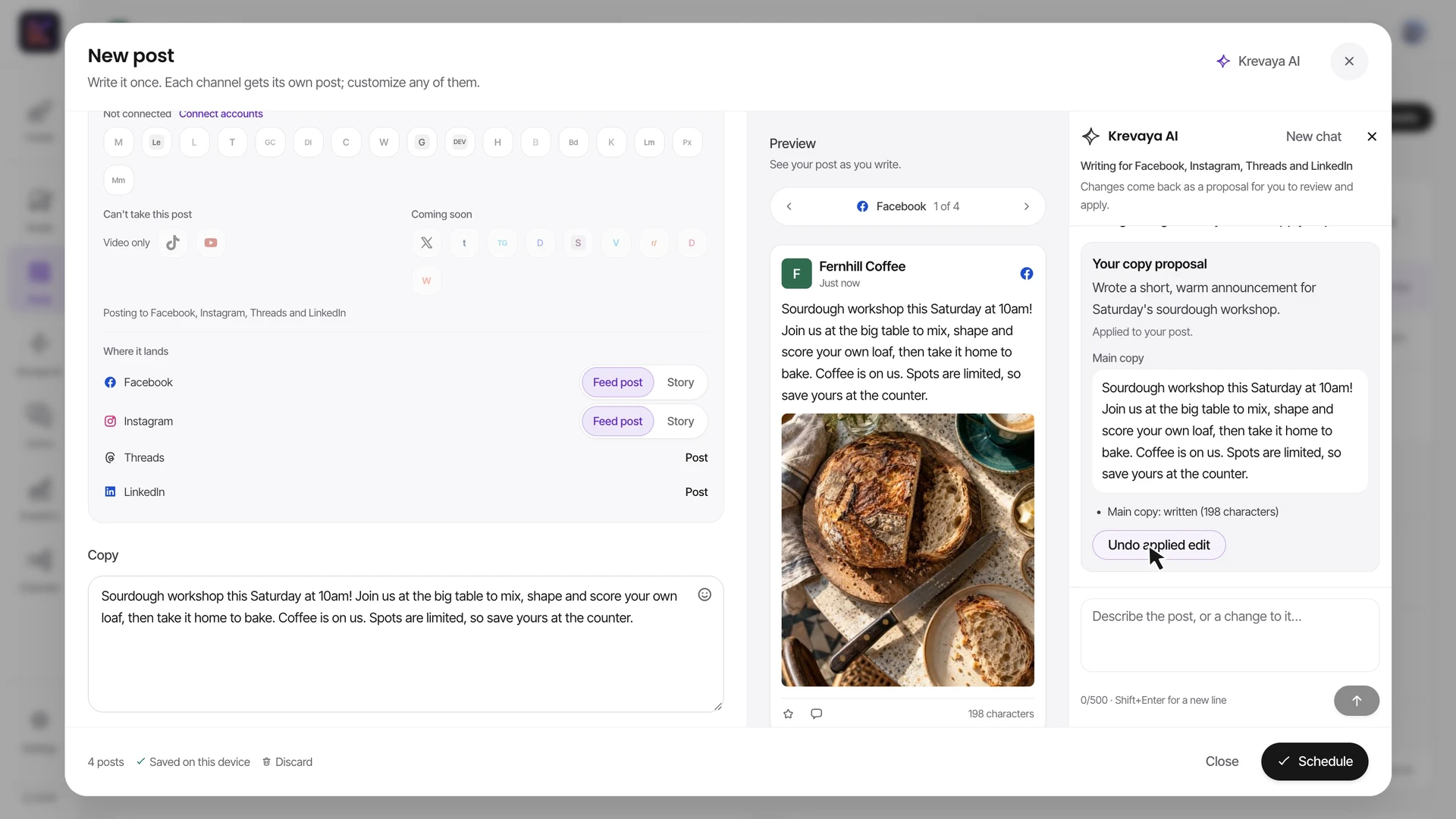
Recorded in the real composer with a fictional café's sample account and media: review AI caption proposals, create channel-specific versions, prepare a carousel, place photos and video, and review the scheduled week. Demonstration data and scripted AI responses; no social post is published. Playback is sped up 1.5×.
Studio gives images, carousels, and short videos a home beside the post composer. Make a revision in the editable creation before using it in a draft.
Use brand media, writing preferences, and connected accounts for the client you are working on. Check the intended brand and destination during review.
Try a review link with the person who will approve the work. Compare reporting exports, editor-seat limits, and any white-label requirements before moving a client.
| Feature | Krevaya | SocialPilot |
|---|---|---|
| Entry price | Essentials $19/mo with AI disabled | $20/mo (Essentials, 5 accounts), or $17/mo billed annually. No free plan; 14-day trial, no card |
| Cost per social account | 25 accounts on Essentials at $19/mo | 40 accounts on Ultimate at $170/mo annual: about $4.25 per account, extra accounts $4 |
| Agency & client management | Multiple brands per account with per-brand voice, style and routing | Client onboarding by invite link with no password sharing, client approval without a login, white-label reports, unlimited client seats from Premium |
| Bulk scheduling | Draft a week at a time from trends, spread across your free calendar slots | Up to 500 posts per CSV upload, with images, first comment and watermarks in the file |
| Finding what to post | On Ultra and up, ask Krevaya AI what's trending in your niche, then turn a trend into post ideas in one click | No trend discovery; AI Pilot generates from your prompt |
| AI limits | Credits by plan: 2,000/mo on Plus, 7,000 on Pro, AI writing billed by the model time it uses. Essentials has no AI credits | AI credits by plan: 500 / 1,000 / 5,000 / unlimited. Brand voice customization included |
| Visuals | 354 studio templates on your brand colors, plus AI image generation | No AI image generation and no native design editor; a basic image tool plus Canva |
| Video | Video in Krevaya Studio on every paid plan, from Essentials: clips, text and music in one editor, exported to MP4 with no AI credits, up to your plan's monthly export minutes | Uploads and schedules video; does not generate it |
| Platforms | 34 channels, including Instagram, Facebook, LinkedIn, TikTok, YouTube, Pinterest, X, Threads, Bluesky and Mastodon, plus blogs and newsletters; Reddit in platform review; Discord, Slack, Whop and Vimeo coming soon | 10 networks: Facebook, Instagram, TikTok, X, LinkedIn, Threads, YouTube, Pinterest, Google Business, Bluesky (plus WordPress) |
| API & MCP | REST, GraphQL (beta) and a hosted MCP server from Plus up, with analytics and Routines included (trends from Ultra up) | MCP server on every paid plan, but scoped to posting and scheduling; REST API is Enterprise-only |
| Competitor tracking | Krevaya Radar with breakout alerts on Plus and higher | Competitor reports on Premium and Ultimate only |
| Analytics history | Analytics on paid plans, from Essentials | None on Essentials, 3 months on Standard, 12 on Premium, 24 on Ultimate |
Shaded cells indicate the stronger option for that row. Unshaded rows reflect a tie or a difference in approach.
SocialPilot information was checked against its public pages on 2026-08-17; later checks are dated on the individual rows. Pricing and features can change. Let us know if something needs updating.
This comparison is written by Krevaya. SocialPilot is not affiliated with Krevaya. The workflow guide was updated on 2026-11-05; competitor facts retain the verification date above.
Choose one brand and list its accounts, monthly posting volume, review contacts, and reporting commitments.
Recreate a small set of posts with your own media, invite the intended reviewers, and verify their permissions and the account destinations.
Check the finished reports and total plan cost. Move the selected queue only after the client workflow meets your requirements.
Check channel support and current plan limits for the workflow you intend to move.
Create your account, choose a plan, and move one real post across before you decide.
Try a plan for 7 days. Card required.
Pick Krevaya when: You have one brand and the hard part is producing the content, not distributing it across fifty accounts.
Pick SocialPilot when: You need an agency workflow with client onboarding, white-label reports, client approval links, and bulk CSV scheduling. Check which plan includes the client and reporting features you need.
Krevaya: Essentials $19/mo with AI disabled. SocialPilot: $20/mo (Essentials, 5 accounts), or $17/mo billed annually. No free plan; 14-day trial, no card. Verified against SocialPilot's own published pricing on 2026-08-17.
Agency & client management: Client onboarding by invite link with no password sharing, client approval without a login, white-label reports, unlimited client seats from Premium. Bulk scheduling: Up to 500 posts per CSV upload, with images, first comment and watermarks in the file.
Do not assume SocialPilot's CSV format or bulk-import behavior transfers. Krevaya does not provide a one-click SocialPilot migration. Test the actual composer or API workflow with a small set of posts before committing a larger client calendar.
Compare the work your agency promises: creative production, client approvals, editor seats, account volume, reporting, and white-label delivery. Krevaya emphasizes creation and publishing together; check SocialPilot's agency-specific capabilities wherever they are essential to a contract.