Guide
Social media automation: what to automate and how to measure it
Build a social media automation workflow with clear review gates, a worked time-saving example, and a free launch checklist. Know when to hold a post.
Grow
Every brand in Krevaya gets its own free Link in Bio page at mykrevaya.com/yourname, styled from your brand, readable by search engines and AI answer engines, and showing your latest posts.
Sign up with Google or Microsoft, then choose your plan.
Fernhill Coffee
@fernhillcoffee
Coffee, pastries, and a sourdough workshop on Saturdays.
Made with Krevaya
A public page at mykrevaya.com/yourname for each brand, free on every plan
Styled from your brand: its name, avatar and color, in a light, dark or brand theme
Search engines and AI answer engines can read who you are and where else you're found
Up to 30 links, your social profiles, and your latest published posts
Free-plan pages are reviewed before they go live; paid plans publish instantly
Each brand you run in Krevaya gets its own page with its own username, so a side project never shares a link with your main account. A new page starts from the brand (its name, avatar and color), and you add up to 30 links and 12 social profiles, then publish.
Your page is served as real HTML with a title and description you can edit, link-preview cards, and structured data that tells search engines and AI answer engines who you are and which profiles are yours. Would rather stay out of search results? One switch asks search engines to skip the page.
Turn on latest posts and the page shows up to six of the brand's newest published posts with images, under your links, so it stays current without you touching it. The footer reads "Made with Krevaya".
Publish your Link in Bio page instantly on an active plan. Your last published page stays available when you update its draft.
Step-by-step articles from The Krevaya Fieldnotes.
Guide
Build a social media automation workflow with clear review gates, a worked time-saving example, and a free launch checklist. Know when to hold a post.
In Krevaya Analytics
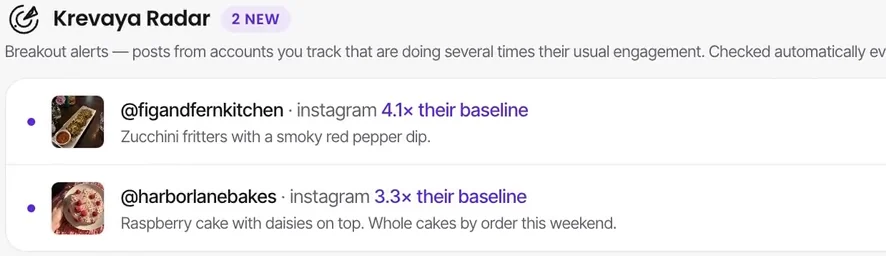
Spot breakout posts from the creators and brands you track.
Create your account, choose a plan, and start making.
Try a plan for 7 days. Card required.