Social media automation: a practical guide for small teams
Learn what to automate, what to review, and how to build a social media workflow that saves work without losing your voice. Includes a launch checklist.

The short answer
Social media automation uses software to handle repeatable work such as gathering ideas, drafting content, scheduling approved posts, and collecting results. A useful setup connects those steps while keeping a person responsible for accuracy, brand voice, and publishing decisions. Start with one channel and one repeatable content format, then expand after the workflow works reliably.
What to take away
- Automate a defined workflow before increasing your posting volume.
- Measure the time needed to reach an approved post, including editing.
- Keep a source, an owner, and a clear approval decision attached to every draft.
What does social media automation actually do?
The daily posting problem usually begins before the calendar. Someone has to find a useful idea, decide what the business has to say about it, write the post, prepare the image, and check the details. A scheduler solves the final handoff. A broader automation workflow helps with the work that leads up to it.
Consider a small design studio. Its founder already answers good client questions every week, but those answers stay in email. An automation system can turn an approved answer into a draft, prepare a platform-specific version, and put it in a review queue. The founder adds the detail only they know, approves the post, and lets the schedule handle delivery. That is a concrete job for automation.
| Capability | What it handles | What you still decide |
|---|---|---|
| Scheduling | Publishes prepared content at a selected time | The message, visual, audience, and timing |
| AI content assistance | Suggests angles, drafts, and variations | Whether the facts and voice are right |
| Workflow automation | Moves content between sourcing, drafting, review, and delivery | The rules, exceptions, and final responsibility |
These capabilities can overlap. When you evaluate a tool, ask which steps it completes and which steps remain manual. Our social media automation tool guide includes a scorecard for that decision.
Which social media tasks should you automate first?
Begin with work that repeats often and has a result you can inspect. Scheduling a finished post is easy to verify. Deciding whether your brand should comment on a developing controversy requires context that a workflow rule may not have.
| Task | Useful automation | Human checkpoint |
|---|---|---|
| Finding ideas | Collect relevant sources and group recurring questions | Choose the angle and check the source |
| Drafting | Turn a brief into a first version | Check claims, examples, and tone |
| Repurposing | Adapt an approved source to another format | Preserve meaning and platform context |
| Scheduling | Place approved posts into planned slots | Confirm account, timezone, and deadlines |
| Reporting | Collect comparable performance measures | Decide what to change next |
Give customer complaints, sensitive announcements, and changing offers a deliberate review path. A discount that was accurate on Monday can be wrong by Friday. When the inputs change, hold the scheduled post until someone checks it again.
How to build a social media automation workflow
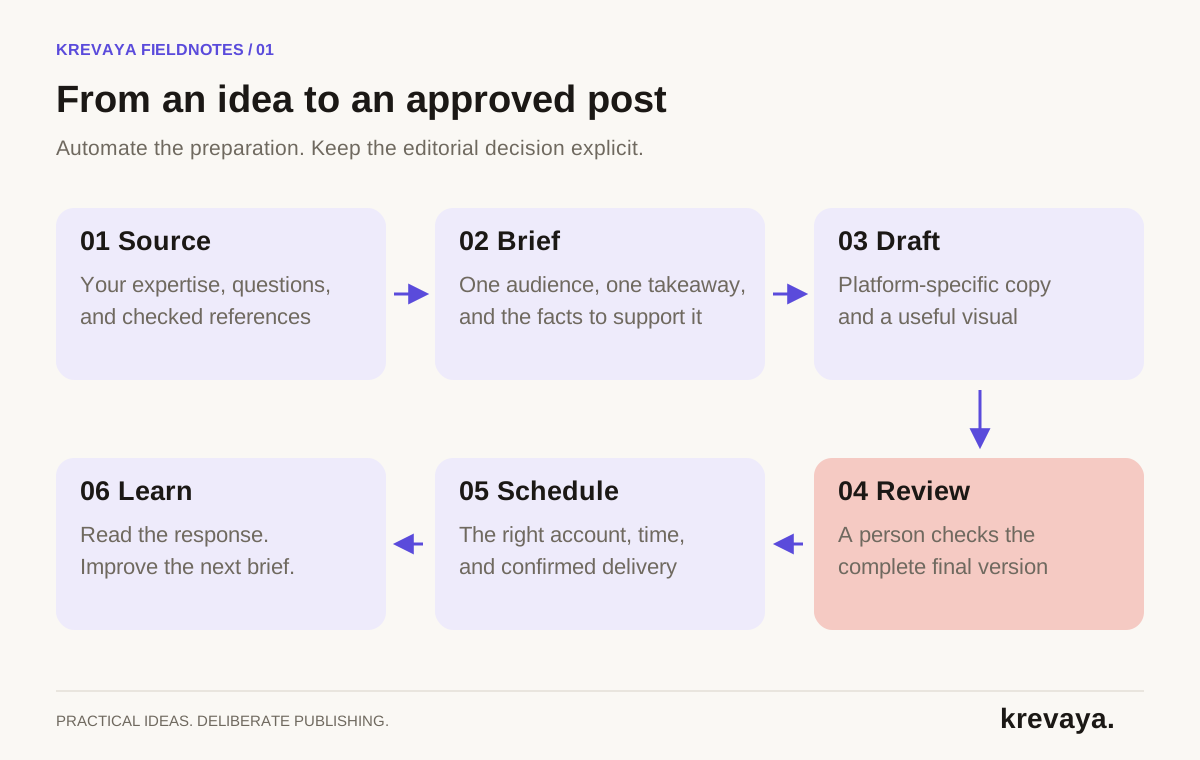
- Choose one outcome. For example, help more prospective clients understand your service and visit its information page. Select a primary measure such as qualified inquiries or visits to that page.
- Pick one channel and format. Choose a channel your audience already uses and a format you can sustain. Three useful posts per week can be a planning experiment; it is not a universal recommendation.
- Create a source bank. Collect your own articles, approved customer questions, product notes, and relevant primary sources. Record what each source can support and when its facts need another check.
- Write the brief before generating. Specify the audience, the single useful takeaway, supporting evidence, desired action, and voice. A narrow brief reduces the amount of generic material you must edit.
- Review the finished version. Inspect the caption, crop, links, account, and scheduled time together. Use the approval workflow checklist to keep that check consistent.
- Schedule and confirm delivery. A queued post is a plan. A published post is an outcome. Confirm the result and assign someone to handle a failed or held post.
- Review results at a fixed interval. Compare similar posts, read the responses, and change one part of the next batch. Keep the lesson in the next brief.
The order matters. If a weak source produces a weak draft, adding more approval reminders will not solve the content problem. If drafts are good but sit waiting for days, generating additional drafts creates a larger backlog. Improve the step where work actually stops.
An example: one client question becomes a weekly content routine
Here is a hypothetical workflow for a two-person design studio. Its prospective clients repeatedly ask what belongs in a website project brief. The studio writes a short source note: goal, audience, required pages, existing assets, budget range, and deadline. It removes private client details before using the note.
On Monday, the team turns that note into two angles: a checklist of what to bring to a first call, and an explanation of why a project goal is more useful than a list of visual references. The AI drafts both. On Tuesday, the founder replaces a vague example with a realistic one and checks that the service-page link still matches the offer.
One draft becomes a LinkedIn explanation; another becomes an Instagram carousel outline. The Instagram version must work as a visual sequence, so the team rewrites each slide around one point. It does not simply put the LinkedIn paragraph into an image. Each version receives its own review and schedule.
At the end of the week, the team reads the questions those posts generated. If people ask about timelines, that becomes the next source note. The workflow now has a reason to repeat: it turns actual audience questions into useful answers.
How do you know whether automation is saving work?
Track total effort, including the less visible work. Count research, writing, design, review, scheduling, troubleshooting, and reporting. Also record how many drafts became approved posts. A tool that generates fifty drafts but leaves forty-eight unusable can look productive while adding work.
| Work | Before | With a defined workflow |
|---|---|---|
| Research and briefing | 60 minutes | 40 minutes |
| Drafting and visuals | 120 minutes | 65 minutes |
| Review and corrections | 30 minutes | 40 minutes |
| Scheduling and reporting | 30 minutes | 15 minutes |
| Total | 240 minutes | 160 minutes |
This example saves eighty minutes despite spending longer on review. Your numbers may differ. Repeat the measurement across several batches and watch for changes in useful responses, qualified visits, and inquiries. More output is only a benefit if the work serves the business.
For links to your website, use consistent campaign parameters so you can distinguish posts in analytics. Google explains how source, medium, and campaign parameters work in its campaign URL guide. Tracking helps attribute visits; it does not prove that every resulting sale was caused by a single post.
Common automation mistakes and how to fix them
- Automating too many channels at once. Prove the workflow on one channel, then add a channel with its own format and review rules.
- Reusing identical copy everywhere. Keep the source idea, but adapt the opening, structure, visual, and action to each context.
- Treating scheduling as confirmation. Check whether the post actually published before retrying; duplicate recovery can create duplicate posts.
- Leaving nobody responsible. Every draft and failed delivery needs a named owner, even if the owner is you.
- Publishing until the calendar is full. Leave room for timely questions and changes. An empty slot is preferable to an irrelevant post.
Build a pause routine before you need it. Know where scheduled posts live, how to stop the next batch, and who can reconnect an account. A useful workflow remains understandable when something goes wrong.
Where Krevaya fits into the workflow
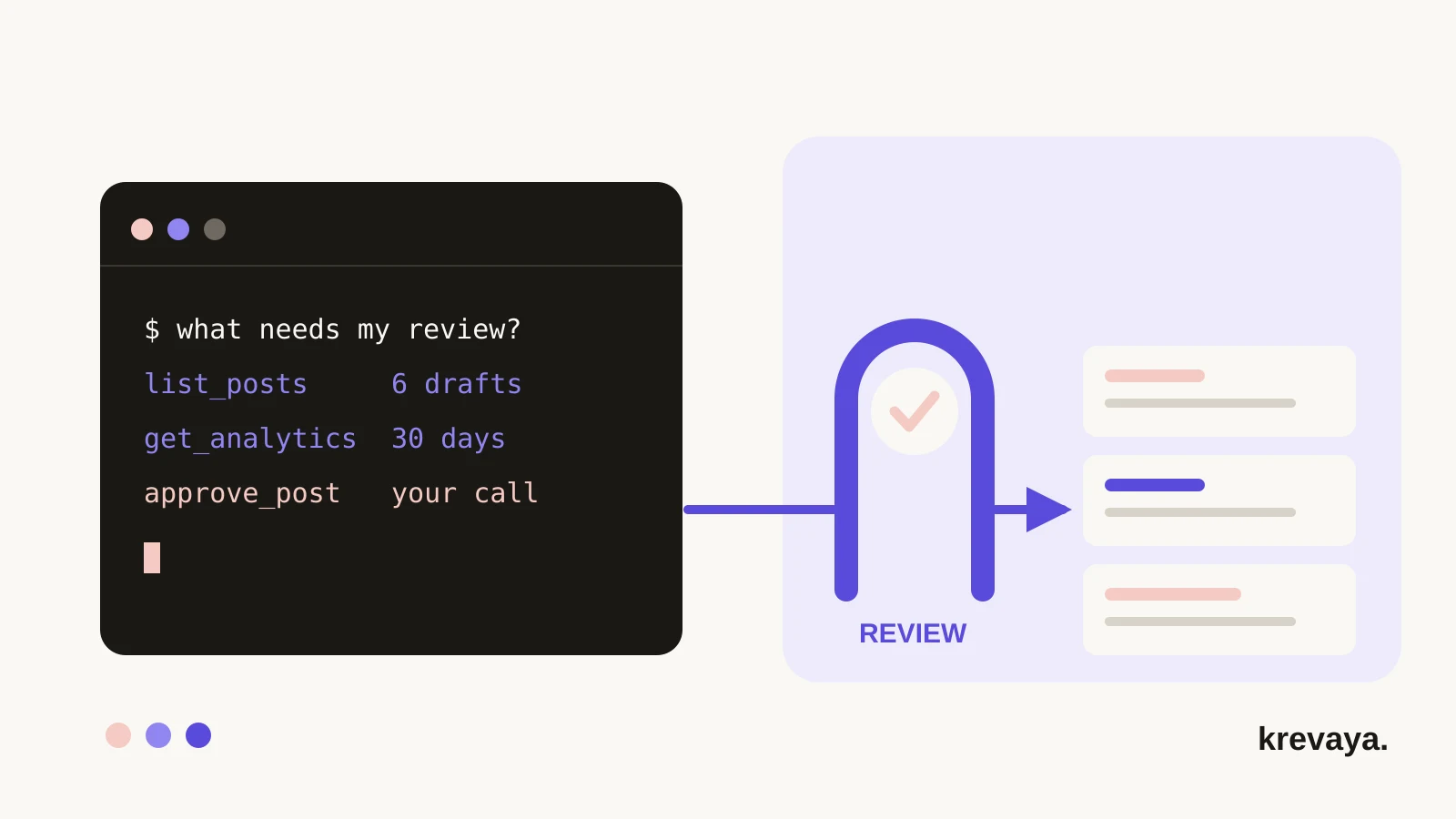
Krevaya brings trend intelligence, AI writing, visuals, review, and calendar scheduling into one product. Its defining behavior is that generated drafts wait for approval by default. Auto-publish is an explicit option per pipeline, so decide which workflows have earned that setting.
Krevaya's public publishing catalog covers Facebook Pages, Instagram, Threads, LinkedIn, and Bluesky. Check the publishing page for current coverage and formats before planning your channel mix. New accounts currently join through the waitlist.
For your next step, use the 30-day content calendar to map a manageable month, or the repurposing guide to start with work you have already published.
Frequently asked questions
Can I automate social media without losing my brand voice?
Yes, if the workflow uses your writing examples, a specific brief, and a review step. Check what the post says as well as how it sounds. Keep edits as examples for future drafts, and avoid asking AI to fill gaps with invented experience or claims.
What is the difference between a social media scheduler and automation software?
A scheduler primarily controls when prepared posts are delivered. Broader automation software may also help collect ideas, draft content, prepare visuals, route approvals, and collect results. Compare the actual steps each tool handles because product categories overlap.
Can I start social media automation for free?
You can start with a spreadsheet, a reusable brief, and a platform's native scheduling features where available. Paid software becomes useful when coordination, repeated drafting, or managing several channels costs more effort than your simple setup can handle.
Does social media automation guarantee growth?
No. Automation can improve consistency and reduce repeat work, but growth depends on the usefulness of your content, audience fit, distribution, and many other factors. Measure meaningful responses and business outcomes alongside time saved.
Sources & editorial details
Product and source pages checked September 20, 2026. Practical templates and worked examples are editorial guidance, not measured customer results.
- Google Analytics: campaign URL parameters
- LinkedIn Help: native post scheduling
- Krevaya: review-first publishing
Created with AI assistance and published by Krevaya AI. Send corrections to support@krevaya.com.