A 30-day social media content calendar you can actually maintain
Build a manageable social media content calendar with a 30-day plan, a worked example, review deadlines, and a free editable CSV template for small teams.
The short answer
A social media content calendar is a shared plan for what you will publish, where it will appear, who owns it, and when it needs approval. A useful 30-day calendar includes production, review, publishing, and learning time. Plan a sustainable number of posts, attach a source and a goal to each one, and leave room to respond to your audience.
What to take away
- Thirty days of planning does not require thirty published posts.
- Every publishing slot needs a brief, an owner, a review deadline, and a goal.
- Plan the month at a high level, then finalize the next week in detail.
What belongs in a social media content calendar?
A calendar with dates and vague topics looks finished before any content exists. A working calendar tells you whether the post has a source, whether the visual is ready, and whether somebody has approved the final version. That is what makes it useful on a busy Wednesday.
| Field | Why it matters | Example |
|---|---|---|
| Publish date, time, and timezone | Prevents ambiguity about the slot | Wednesday, 10:00 a.m., America/Chicago |
| Channel and format | Defines what must be produced | LinkedIn text post with an image |
| Audience question and goal | Gives the post a specific job | What should a project brief include? Drive guide visits |
| Source and approved facts | Keeps drafts grounded | Our project-brief guide, checked this week |
| Owner and review deadline | Makes the handoff explicit | Founder approves by Tuesday afternoon |
| Status and final asset | Distinguishes an idea from a ready post | In review; caption and image linked |
| Published URL and results | Closes the loop after delivery | Link to the post; visits and useful replies |
Start with these fields in a spreadsheet if you do not need dedicated software. Add complexity only when it answers a recurring question. A calendar that takes longer to maintain than the posts themselves is a signal to simplify.
Choose three content pillars tied to real audience questions
A content pillar is a recurring area your business can explain usefully. Choose pillars that connect audience needs with something you know firsthand. Education, trust, and offers can describe the job of a post, but a topic such as preparing a website project is easier to brief.
For a small design studio, three practical pillars could be project preparation, design decisions, and how the studio works. Under project preparation, answer questions about briefs, assets, and timelines. Under design decisions, explain page hierarchy or readable layouts. Under how the studio works, show a real process or clarify a service boundary.
- Audience question: What does someone need to understand before buying or using your service?
- Available evidence: What can you show, explain, or demonstrate from your own work?
- Next action: Should the reader save a checklist, read a guide, ask a question, or explore an offer?
Avoid inventing customer stories to fill the proof pillar. A documented process, a clearly labeled hypothetical example, or a permissioned demonstration can be useful without implying a result you have not measured.
A complete 30-day plan with twelve publishing slots
This is a starter plan for a small team, not an optimal posting-frequency claim. It reserves twelve publication slots across four weeks and uses the other days for source gathering, production, review, and audience response. Apply it to one main channel first. Additional platform versions create additional review work.
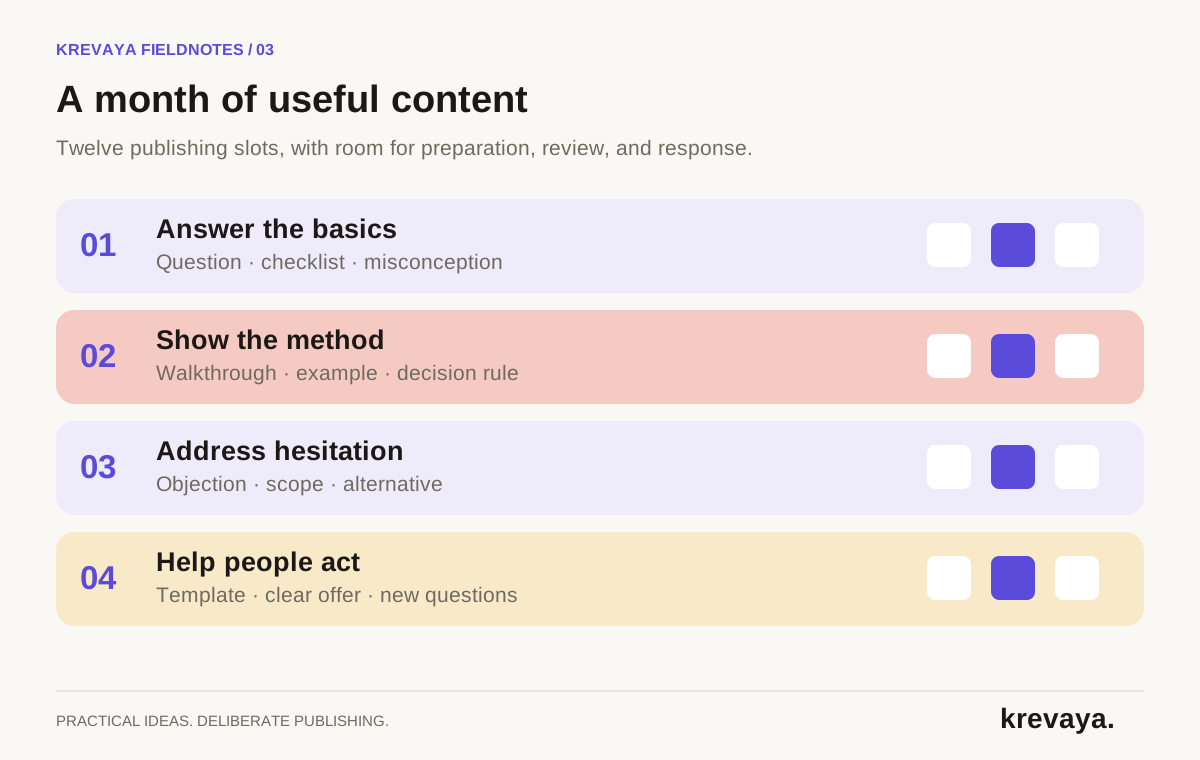
| Week | Three post ideas | Source to prepare | Learning question |
|---|---|---|---|
| 1: Answer the basics | A common question; a useful checklist; a misconception | One foundational guide and real audience questions | Which question earns a thoughtful response? |
| 2: Show the method | A process walkthrough; an annotated example; a decision rule | Your documented process or demonstration | Which explanation needs more detail? |
| 3: Address hesitation | A frequent objection; a scope boundary; an alternative approach | Approved sales questions and service details | What still prevents the next step? |
| 4: Help people act | A practical template; a clear offer; answers to new questions | A useful resource and current offer details | What did people actually do next? |
Use Day 1 as your planning start rather than a fixed date. Add your real dates and timezone before scheduling. The template contains no promise that a particular weekday or hour will perform best; use the posting-time experiment when you have enough comparable posts to learn from.
What one week looks like for a small design studio
| Day | Work | Finished result |
|---|---|---|
| 1 | Collect recurring client questions and check the service page | An approved source note about project briefs |
| 2 | Draft three distinct angles and outline one image | Three drafts with separate takeaways |
| 3 | Review and publish the common-question post | An answer to what belongs in a first project brief |
| 4 | Read replies and finalize the checklist visual | A checked visual with readable text |
| 5 | Publish the checklist post | A useful list with a relevant guide link |
| 6 | Review and publish the misconception post | An explanation of goals versus visual references |
| 7 | Review delivery and responses; plan the next source | A short lesson for the next batch |
If the checklist takes longer to make, move its slot. Do not rush the review simply because a cell has a date. The calendar should expose a capacity problem early enough to change the plan.
If the studio also uses Instagram, adapt the checklist into a visual sequence and review it separately. The core source is reusable, but a second platform is not a free duplicate. The repurposing workflow explains how to create genuinely distinct versions.
Turn each calendar slot into a short content brief
The quality of an AI-assisted calendar depends on the inputs behind each slot. A topic such as productivity invites generic advice. A brief about the three questions a freelance designer should ask before accepting a rushed project gives the writer a clear task.
Audience:
Question this post answers:
One takeaway:
Source and facts we can support:
Example we have permission to use:
Channel and format:
Voice and phrases to avoid:
Desired next action:
Visual requirement:
Owner:
Review deadline:
Publication time and timezone:
A good brief also limits the draft. If the source supports a checklist, do not ask for a claim about how much revenue it generates. Specify whether a number is measured, illustrative, or unknown. That small distinction prevents a plausible sentence from becoming a false promise.
Use the brand-voice brief for consistent language and the approval checklist to define what ready means.
Keep the calendar flexible without losing accountability
Plan the full month in broad topics, but finalize the next week more closely. That gives you direction while preserving room for audience questions, product changes, and content that takes longer than expected. Mark a post as evergreen or time-sensitive so you know what can move safely.
- Check dependencies. An offer post depends on a live landing page and accurate terms. A walkthrough depends on the product still behaving as shown.
- Set review deadlines before publish times. Give the reviewer enough room to ask for a correction. If the deadline is missed, hold or move the post.
- Keep statuses unambiguous. Idea, drafting, in review, approved, scheduled, published, and held describe different states. Record the actual state.
- Reserve response time. Read comments and questions between batches. The next useful post may come from those conversations.
Review the calendar by purpose, not just by volume
At the end of the month, compare what was planned with what was published. Then ask whether each type of post did its job. A checklist may earn saves; an explanation may start relevant conversations; an offer may produce visits or inquiries. One engagement total cannot describe all three purposes.
Record a short lesson for every pillar: keep, revise, or stop. Be specific. Replace more carousels with the brief checklist earned relevant questions, so test another checklist about timelines. The second instruction is something you can act on.
Krevaya's Storyboard Canvas helps plan content visually, while Calendar & Scheduling handles timezone-aware slots. Drafts can move into the review queue, where approval remains the default checkpoint. The CSV here is a planning worksheet you can use independently; it is not a promise of a native CSV import feature.
Frequently asked questions
How far ahead should I plan social media content?
A useful starting point is a month of broad topics with the next week planned in detail. Keep time-sensitive offers and changing information under closer review. Adjust the horizon to your production time and how quickly your business changes.
Does a 30-day content calendar mean posting every day?
No. This template includes twelve publishing slots and uses the remaining days for preparation, review, responses, and analysis. The right frequency is one you can sustain with useful content and appropriate review.
Can AI create a social media content calendar?
AI can propose topics and draft posts from a specific audience brief and reliable source material. A person still needs to confirm the business priorities, check the claims, assign ownership, and approve the final content. An automatically filled calendar is not automatically ready to publish.
Can I use the calendar template without Krevaya?
Yes. The CSV can be opened in a spreadsheet and used with your existing workflow. Replace the sample prompts, add actual dates and a timezone, assign owners, and track the final published links.
Sources & editorial details
Product and source pages checked September 20, 2026. Practical templates and worked examples are editorial guidance, not measured customer results.
Created with AI assistance and published by Krevaya AI. Send corrections to support@krevaya.com.