Open source, AGPL-3.0
The design editor
The editor in the krevaya-app repository: templates, photo tools, animation and sound, comments and share links, downloads, a REST API and an MCP server. It is free to run on your own server.
Open source
The Krevaya design editor is open source under AGPL-3.0, and you can run it on your own server with Docker Compose. Scheduling, publishing and Krevaya AI are part of Krevaya Cloud, a hosted service with paid plans.
Krevaya Cloud has no free plan. Eligible accounts can try a plan for 7 days at $0, with a card required.
Open source, AGPL-3.0
The editor in the krevaya-app repository: templates, photo tools, animation and sound, comments and share links, downloads, a REST API and an MCP server. It is free to run on your own server.
Hosted and paid
Scheduling and publishing to 34 channels, Krevaya AI, and Krevaya Studio, the editor inside Krevaya Cloud. Its source code is not public. Plans start at $19 a month and there is no free plan.
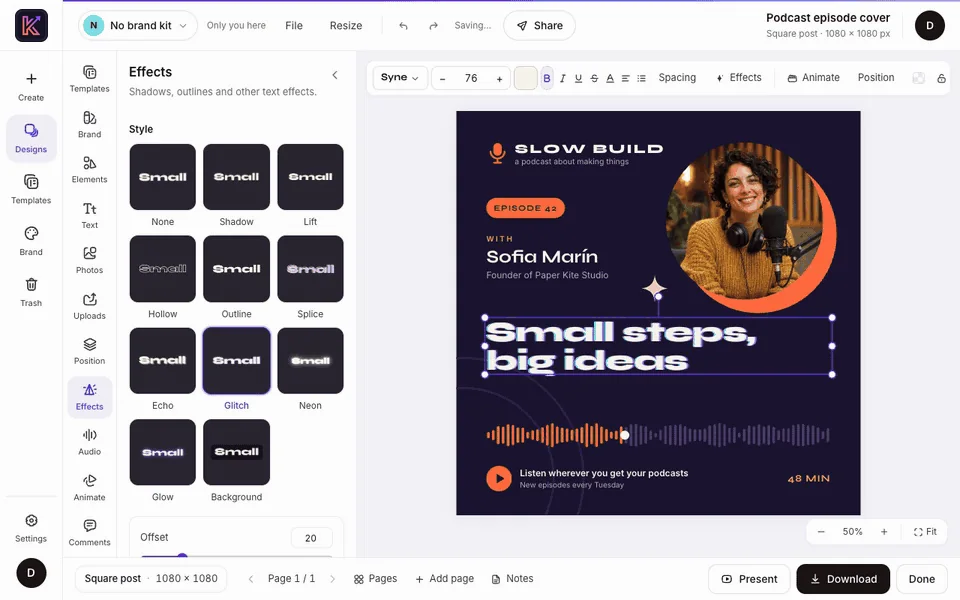
This recording ships with the repository: a podcast cover goes from the template gallery to an MP4 download.
The template gallery opens and the Podcast episode cover template goes into the editor. The headline is selected in the Layers list and retyped as “Small steps, big ideas”. The Glitch style is applied from the Effects pane, a Rise entrance from the Animate pane, and the Download dialog is set to an MP4 video at 1080p and 30 frames per second.
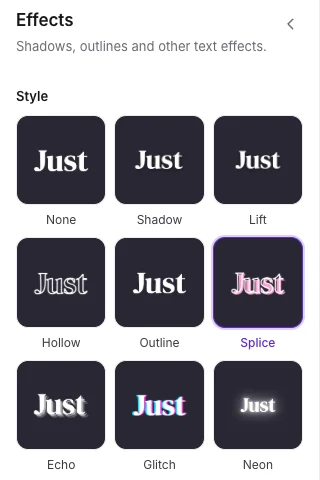
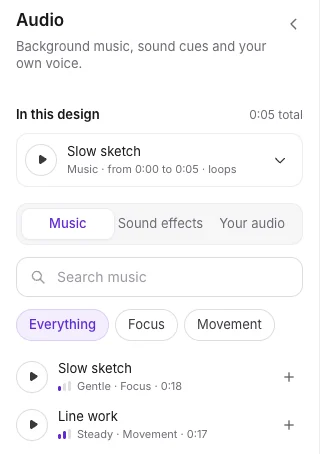
Set text in any of the 101 bundled font families, give it a style such as outline, neon or glitch, or set it on a curve.

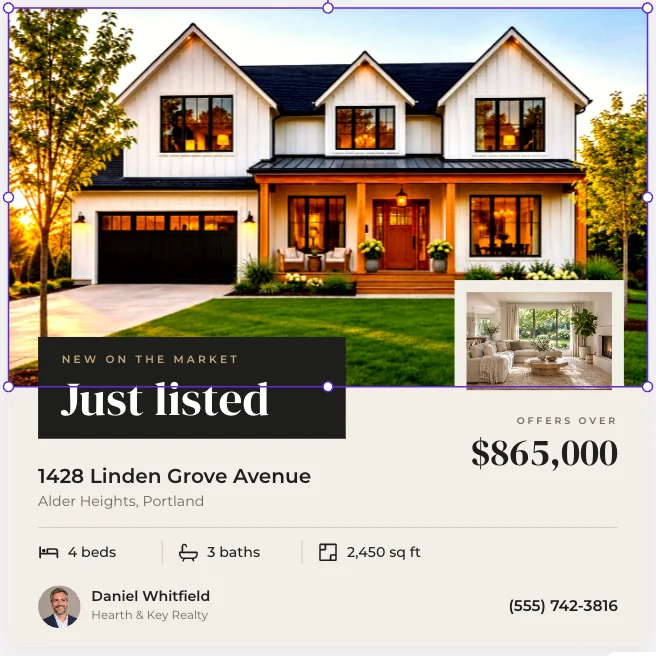
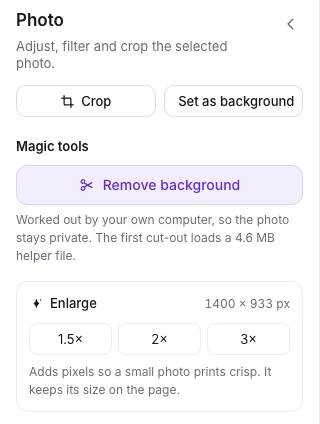
Crop a photo, add a frame, pick a filter preset, or adjust light, color and vignette with sliders.
Give each element an entrance, exit or emphasis animation, and choose how each page moves to the next.

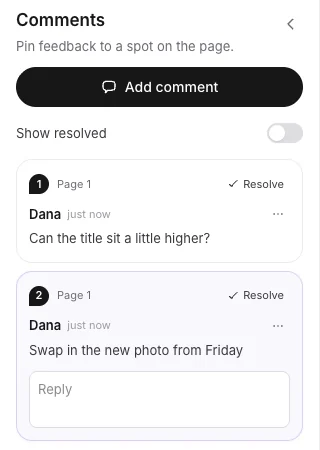
Share a link to view, comment or edit, each with its own access level and an optional password, and remove it to stop it working.
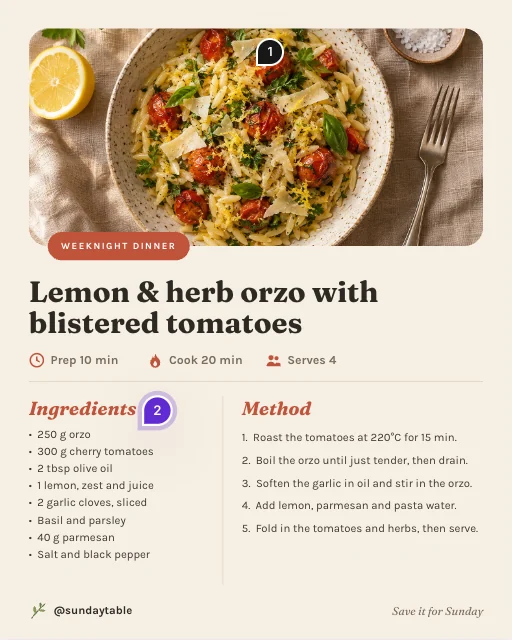
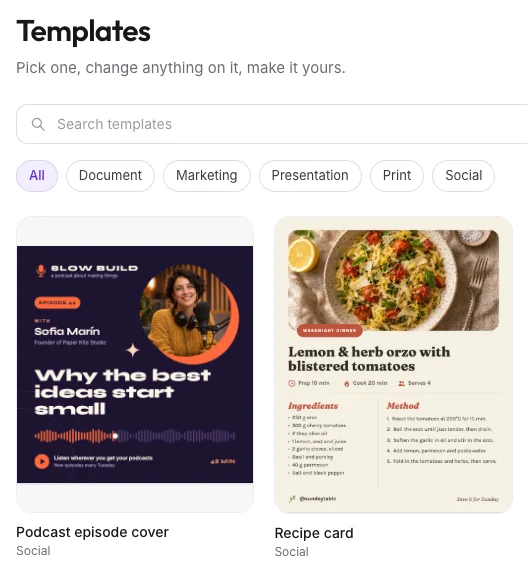
12 starter templates, such as a podcast cover, a recipe card and a weekly planner, and 22 ready-made sizes for social posts, video, slides and print, or any size from 16 to 8,000 pixels a side.
PNG, JPG, SVG and PDF, with a print PDF that adds bleed and crop marks. Anything that moves downloads as MP4, WebM or GIF, and a backup file, with the design and its photos and sounds, opens on any server running this editor.
Name a text box, photo or QR code as a slot, then paste rows or upload a CSV to make one design per row, such as name badges or certificates.
Personal tokens, a reference at /api/docs on every server, and optional PNG, JPG and PDF rendering on the server with headless Chromium.
13 tools to find, create and edit designs, served at /mcp once you set ASSISTANT_API=true. Any MCP client that sends a bearer token works, such as Claude Code and Cursor.
Email and password, Google, or any OpenID Connect provider. Uploads stay on a server volume or in an S3-compatible bucket you choose.
The short version of the documented Docker Compose path. The install guide also covers a plain Linux server with nginx and systemd.
git clone https://github.com/krevaya/krevaya-app.git
cd krevaya-app
cp .env.example .envSECRET_KEY signs cookies and links, POSTGRES_PASSWORD is used only by the containers, and SITE_URL is the address people open in a browser.
SECRET_KEY=<a long random value>
POSTGRES_PASSWORD=<any string>
SITE_URL=https://krevaya.example.netThe server container applies database migrations on every start. The seed command adds the starter templates and copies the bundled fonts into storage; it needs no internet connection.
docker compose up -d --build
docker compose exec server python -m app.cli seedOpen http://localhost:8460 (set WEB_PORT in .env for another port). The first person to sign up becomes the admin. Put HTTPS in front with the proxy you already run, then set COOKIE_SECURE=true.
The self-hosted column describes the repository as it was on 2026-11-21. Krevaya Cloud's column comes from its current plans and channel list.
| Area | Self-hosted editor | Krevaya Cloud |
|---|---|---|
| Cost | Free under AGPL-3.0. You pay for your own server. | Plans from $19 a month (Essentials) to $499 (Ultimate), plus Enterprise, priced with sales. No free plan; eligible accounts can try a plan for 7 days at $0, with a card required. |
| Who runs it | You, with Docker Compose or on a Linux server with nginx and systemd. Designs and uploads stay on your server or in an S3-compatible bucket you choose; updates, backups and HTTPS are yours. | Krevaya hosts it and runs it. |
| Design editor | The editor in the repository: 12 starter templates, 22 ready-made sizes, photo tools, animation and sound. | Krevaya Studio, a separate editor, for images, carousels and videos, with premium templates, from Essentials. |
| Downloads and export | PNG, JPG, SVG and PDF (including a print PDF with bleed and crop marks), MP4, WebM and GIF. | MP4 video export, from 60 minutes a month on Essentials to 30 hours a month on Ultimate. |
| Background removal | In the browser, with a 4.6 MB model served from your server. | AI background removal and photo restyle from Plus. Essentials has no AI features. |
| AI | None built in. Connect your own assistant over MCP. | Krevaya AI for ideas and drafts from Plus, with 2,000 AI credits a month, and AI image generation and layer edits from Plus in Studio. Essentials has no AI credits. |
| Scheduling and publishing | Not included. | 34 channels in the catalog, 29 of which can be connected today, with a content calendar and review-first publishing on every plan. |
| Teammates | Share links to view, comment or edit, with live cursors and pinned comments. | 1 editor seat on Essentials up to 10 on Ultimate; viewers and commenters are free. |
| API and MCP | A REST API with personal tokens and an MCP server with 13 tools, off until you set ASSISTANT_API=true. | A hosted MCP server, a REST API and webhooks on every paid plan, from Essentials. |
| Source code | Public under AGPL-3.0. Fork it and change it. | Not public. |
Each Canva cell is a row of Krevaya's Canva comparison, checked against Canva's own pages on the date shown. The other column describes the open source editor in the repository.
| Topic | Canva | Open source editor |
|---|---|---|
| Pricing model | Free, Pro for individuals, Business priced per person, and custom Enterprise plans; AI extras can cost moreChecked 2026-11-06 | Free software under AGPL-3.0; you pay for the server you run it on. |
| Free design editor | Canva Free includes its design editor and a selection of templates and assetsChecked 2026-11-06 | The whole editor, with no feature tiers, free to run on your own server. |
| Breadth of design work | Social designs plus presentations, documents, whiteboards, websites, and print productsChecked 2026-11-06 | Social posts, slides, print and video, with 22 ready-made sizes and custom sizes up to 8,000 pixels a side. |
| Templates and assets | A much larger general-purpose template and stock library, with premium content on paid plansChecked 2026-11-06 | 12 starter templates, 101 font families and six icon sets; Unsplash or Pexels search needs your own key. |
| AI assistance | AI writing, design, image editing, and generation; features and usage vary by planChecked 2026-11-06 | No built-in AI. An assistant you connect over MCP can create and edit designs. |
| Short video editing | A free video editor with a multi-layer timeline, trimming, text, animation, and captions; premium assets and AI tools vary by planChecked 2026-11-06 | No video clips: it animates text, shapes and photos, adds music or your own audio, and downloads MP4, WebM or GIF. |
| Social scheduling | Content Planner schedules designs on eligible plans; Canva documents one social platform per scheduled design at a timeChecked 2026-11-06 | Not included. Scheduling and publishing are in Krevaya Cloud. |
| Collaboration and approvals | Design collaboration and approval workflows on eligible plans, plus Enterprise governanceChecked 2026-11-06 | Share links to view, comment or edit, live cursors, pinned comments and named versions; no approval workflow. |
Krevaya's Canva comparison, which sets Canva against Krevaya Cloud, rates Canva ahead on free design editor, breadth of design work, and templates and assets.
Canva is a trademark of Canva Pty Ltd. Krevaya is not affiliated with or endorsed by Canva.
The editor is released under the GNU Affero General Public License, version 3 (AGPL-3.0). You can run it, change it and host it, commercially as well.
If people use a version you have changed over a network, the license gives them the right to its source code under the same license.
The Krevaya name and logo are trademarks and are not covered by the AGPL. If you host a changed version, give it your own name and logo.
Fonts, icons, the cut-out model and the other bundled parts keep their own licenses, listed in CREDITS.md. This is a summary; the license text in the repository is what applies.
The repository has no scheduler. Krevaya Cloud schedules and publishes; if the scheduler itself has to run on your server, Postiz is the better fit (Krevaya's Postiz comparison lists it as “AGPL, self-hostable”, checked 2026-11-19). Krevaya vs Postiz
There is none in the repository. Krevaya AI is part of Krevaya Cloud from Plus.
The editor animates text, shapes and photos. It does not import or trim video.
Updates, backups, HTTPS and security patches are yours, and support is through GitHub issues.
The repository has 12 starter templates, and stock photo search needs your own Unsplash or Pexels key.
Comparison
Krevaya Cloud and Canva side by side, with Canva's facts dated and sourced.
Product
The editor inside Krevaya Cloud for images, carousels and videos.
Pricing
From $19 a month on Essentials. There is no free plan.
Create your account and choose a plan. Krevaya Cloud has paid plans only.
Try a plan for 7 days. Card required.
Partly. The design editor at https://github.com/krevaya/krevaya-app is open source under AGPL-3.0, and you can run it on your own server. Krevaya Cloud, which adds scheduling, publishing to 34 channels and Krevaya AI, is a hosted, paid service, and its source code is not public.
The software is free to use under AGPL-3.0; you pay for the server you run it on. Krevaya Cloud is not free: plans start at $19 a month on Essentials, and eligible accounts can try a plan for 7 days at $0, with a card required.
No. It is a design editor: you download your work as PNG, JPG, SVG, PDF, MP4, WebM or GIF. Scheduling and publishing are in Krevaya Cloud. For a scheduler you run on your own server, Krevaya's Postiz comparison lists Postiz as “AGPL, self-hostable” (checked 2026-11-19).
Docker with its compose plugin. Without containers, the install guide covers Debian and Ubuntu with Python 3.12 or later, Node 22 or later, nginx, uv and PostgreSQL; a small install can use SQLite instead of PostgreSQL.
It has no AI writing or image generation. It includes an MCP server, off until you set ASSISTANT_API=true, so an assistant you connect, such as Claude Code or Cursor, can create and edit designs with your personal token. Background removal runs in the browser with a 4.6 MB model served from your server, so photos are not sent to another service.
Yes. AGPL-3.0 allows running, changing and hosting it, commercially as well. If people use a version you have changed over a network, the license gives them the right to its source code under the same license. The Krevaya name and logo are not covered by the AGPL, so a hosted, changed version needs its own name and logo.
No. Krevaya Studio is the editor inside Krevaya Cloud, for images, carousels and videos, with premium templates and AI image generation and layer edits from Plus. The open source editor is a separate editor that you host yourself.