One calendar for every channel
Approved posts go onto a content calendar. See the month at a glance, drag a post to another day, and find empty slots and conflicts while there is still time to fill them.
Krevaya Posts
Write a post once, give each channel its own version, and put it on one calendar in your time zone. Drafts wait for your approval, then go out at the time you picked.
Sign up with Google or Microsoft, then choose your plan.
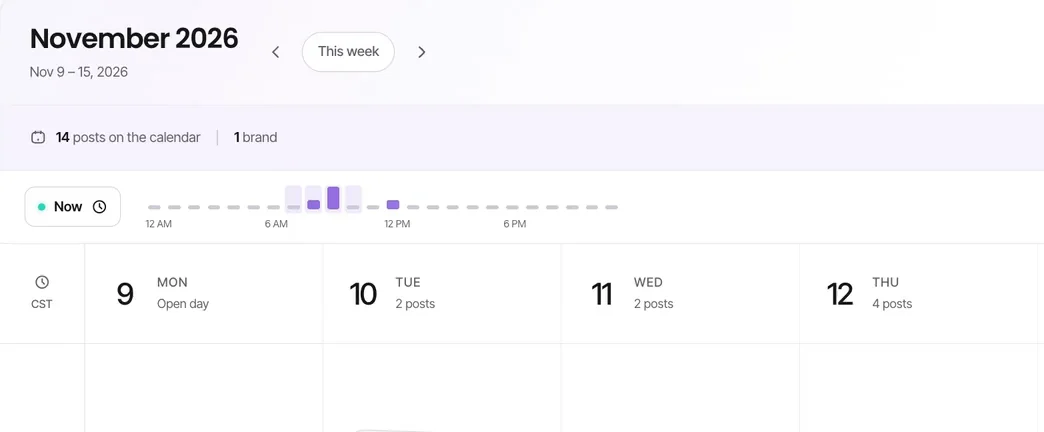
Approved posts go onto a content calendar. See the month at a glance, drag a post to another day, and find empty slots and conflicts while there is still time to fill them.
Each channel starts with two posting times in your own time zone, and you can change them. Next free slot puts a post at the first open time in the next 14 days.
Best-time suggestions come from your account's own engagement history on Facebook, Instagram, Threads, and LinkedIn, and change as your audience's habits do. They are included from Essentials up.
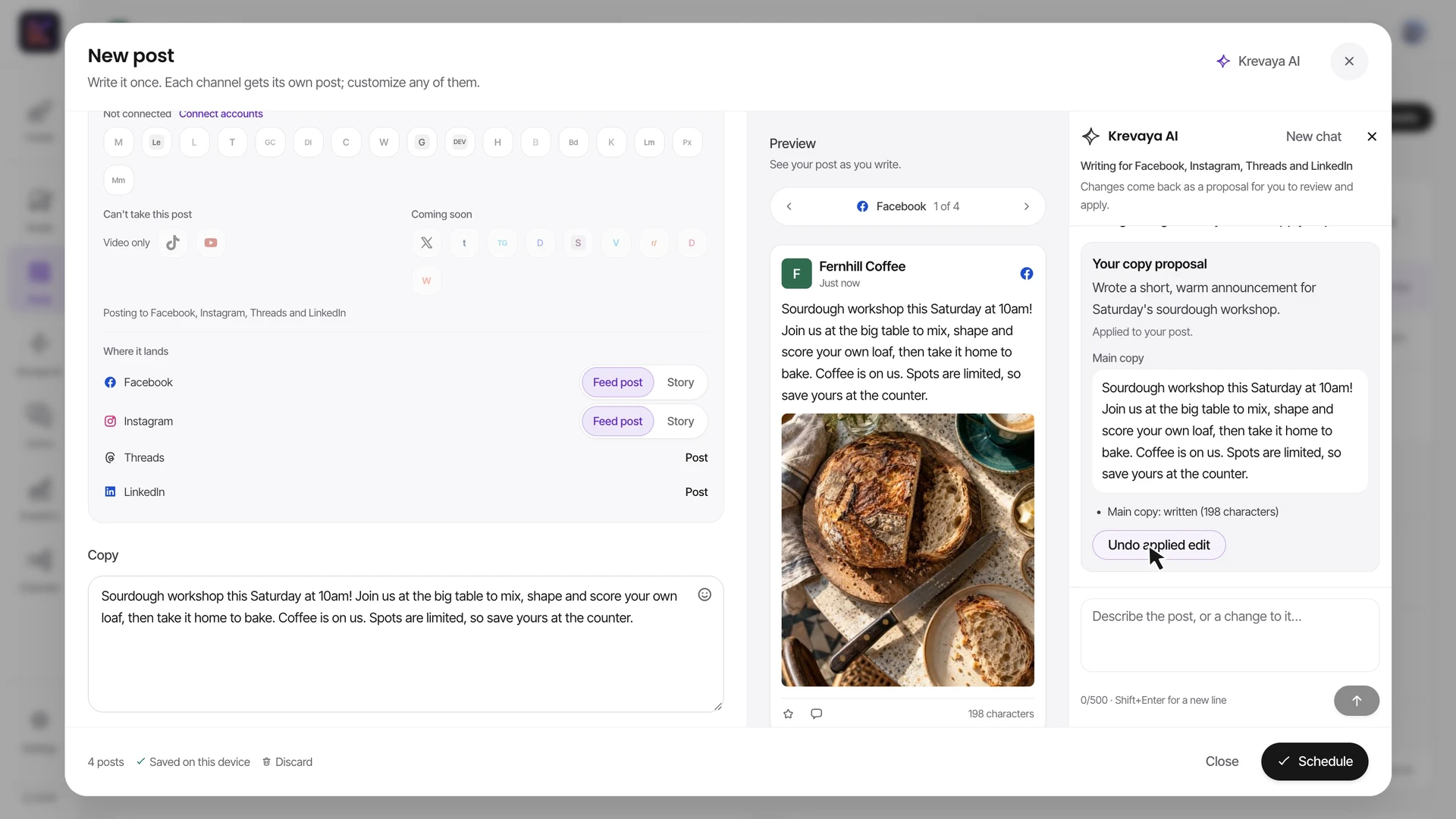
Write the post once and adjust each channel's caption. The composer shows where it lands on each: a Reel or a Story, a Video Pin, a Short.
Save a brand's channels as a Lineup, in order, with an optional first comment and time between posts. Pick it in the composer, in Studio, or for a Routine.
Drafts stay in a review queue until you approve, edit, or reject them. Auto-publish is opt-in for each brand, and Pinterest and Tumblr posts always need your approval, one at a time.
Pick any future date and time; there is no limit on how far ahead. A post can also repeat daily, weekly, or monthly, except on Pinterest and Tumblr, where each post is approved on its own.
Each connected account has a limit on posts in any 24 hours: the lowest of your brand's own number (10 a day to start), your plan's fair-use cap, and the platform's own limit. X has a monthly allowance instead.
A sample café starts from a day on the calendar, picks the channels, and schedules a post, a carousel, a Story, and a video, each in the format its channel takes. Krevaya AI writes some of the copy when asked; AI help uses AI credits.
A sample café, Fernhill Coffee, plans its week in Krevaya Posts. From Thursday on the calendar, the composer opens at 9:00 AM with Facebook, Instagram, and Threads ticked; LinkedIn is added and a photo of a sourdough loaf comes from the library, so Facebook and Instagram take it as a feed post. In the composer, Krevaya AI is asked “Write a post announcing our sourdough workshop this Saturday at 10am. Warm and short.”, then “Give LinkedIn its own version with a bit more detail about what people learn”, then “Add Instagram hashtags”. Each answer is a proposal that changes nothing until Apply to post; the copy, LinkedIn’s own version, and Instagram’s hashtags fill in, and Schedule puts four posts on Thursday. Next, three library photos become a carousel on Instagram, Threads, and LinkedIn, a multi-photo post on Facebook, and a post on Bluesky, with a caption typed by hand and added to the queue at each channel’s next free slot. A tall photo becomes a Story on Instagram and Facebook, a Pin, and a Threads post for Saturday. A video goes out as an Instagram Reel, a Facebook video, a Threads video, a Video Pin, a TikTok, and a YouTube Short on Friday, with its caption from Krevaya AI: “Write a caption for this clip of our morning coffee routine. End with a question.” Last, the week is reviewed: Thursday’s Instagram post opens with its preview, copy, hashtags, and Reschedule, and the List shows every scheduled post. The film plays at 1.5× speed, and Krevaya AI answers faster here than a live model call.
You can connect 29 of them today. Reddit is in platform review and open to preview accounts only. Discord, Slack, Whop and Vimeo are coming soon and cannot be connected yet.
Essentials costs $19 a month and includes the calendar, scheduling, Lineups, best-time suggestions, analytics, and Krevaya Studio for images, carousels, and videos, with 25 connected accounts. It has no AI features, so you write the captions yourself.
Plus, at $29 a month, adds Krevaya AI for ideas and drafts, with 2,000 AI credits a month.
Every plan includes unlimited brands. Each brand keeps its own connected accounts, posting times, posting limits, and writing voice, and a post publishes only through its own brand's account.
Connected accounts and editor seats grow with the plan: 25 accounts and 1 editor seat on Essentials and Plus, 100 and 3 on Pro, 200 and 5 on Ultra, and 500 and 10 on Ultimate. Viewers and commenters are free, and a client can comment on a post and give their decision through its public review link.
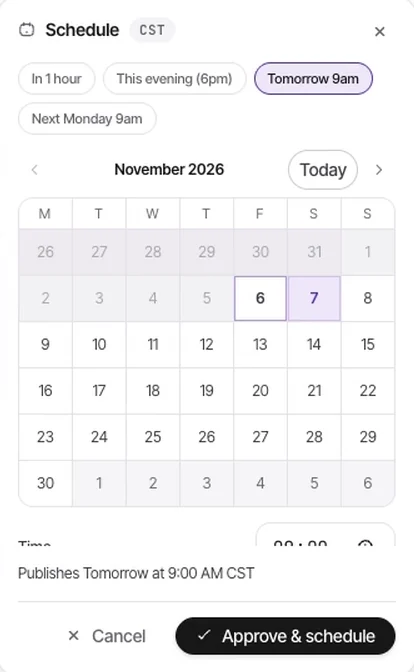
Every draft lands in a review queue where you approve, edit, or reject it in one click. Approve & schedule does both in one step, and dragging a draft from the Needs review tray onto the calendar approves and schedules it.
Auto-publish stays off until you turn it on for a brand. Routine drafts and every Pinterest and Tumblr post still wait for you.
Krevaya AI drafts posts in your voice, plans a week, and proposes each channel's version in the composer; nothing changes until you apply it. Routines draft posts on a schedule, from a feed, or when one of your posts takes off, and every draft waits in Posts for your review.
AI starts with Plus, at 2,000 AI credits a month. Essentials has no AI credits: you write the copy yourself, or bring your own AI app over MCP.
The REST API creates posts with scoped keys: leave out the time and the post lands as a draft for your review, or send a future time and it is scheduled directly. Pinterest and Tumblr posts always land as drafts. HMAC-signed webhooks tell your automations when a post publishes or fails.
The hosted MCP server lets ChatGPT, Claude, Cursor, and 24 other AI agents read results, triage drafts, and schedule the week. API, MCP, and webhooks are included on every paid plan, from Essentials.
Krevaya's row comes from its current plans and channel list. Every other cell comes from Krevaya's comparison with that tool and shows the date it was checked against the tool's own pricing and help pages. Open a comparison for the full table and its sources.
| Tool | Pricing | Free plan or trial | Channels | API and MCP |
|---|---|---|---|---|
| Krevaya | Flat per account: Essentials $19/mo (25 accounts), Plus $29/mo (25 accounts), Pro $99/mo (100 accounts), Ultra $199/mo (200 accounts), Ultimate $499/mo (500 accounts). Enterprise has custom pricing; contact sales. Channels included | No free plan; 7-day $0 trial for eligible accounts, card required | 34 channels, including Instagram, Facebook, LinkedIn, TikTok, YouTube, Pinterest, X, Threads, Bluesky and Mastodon, plus blogs and newsletters; Reddit in platform review; Discord, Slack, Whop and Vimeo coming soon | REST, GraphQL (beta), a hosted MCP server and HMAC-signed webhooks, from Essentials up |
| Buffer | Per channel: $6/channel/mo, or $60/channel/yr billed annually. Volume discounts above 10 channelsChecked 2026-11-19 | Free forever: 3 channels, 10 queued posts each, unlimited AI Assistant, API and MCP accessAhead of Krevaya hereChecked 2026-11-19 | 12 channel types, including Substack Notes, Google Business, Mastodon, and Bluesky. TikTok supports automatic publishing; some music workflows use notificationsChecked 2026-11-19 | GraphQL API and a hosted MCP server, available on the Free plan; plan-specific limits applyAhead of Krevaya hereChecked 2026-11-19 |
| Hootsuite | Per user a month, billed annually or monthly: Standard $99 or $149, with up to 10 social accounts; Professional $199 or $299 and Advanced $399 or $499, with unlimited accounts. Enterprise is priced on requestChecked 2026-11-19 | A free 14-day trial and no free plan; regular billing begins when the trial ends unless you cancel. Trial accounts can publish 10 to 20 posts a day per organization, depending on plan, and cannot bulk scheduleChecked 2026-11-19 | Instagram, Facebook, X, LinkedIn, TikTok, YouTube, Threads, Pinterest, Bluesky, Google BusinessChecked 2026-11-19 | REST API and first-party MCP servers with prebuilt Claude and ChatGPT connectors (its publishing API excludes TikTok, YouTube and Bluesky)Checked 2026-11-19 |
| SocialPilot | $20/mo (Essentials, 5 accounts), or $17/mo billed annually. No free plan; 14-day trial, no cardChecked 2026-11-19 | See the full comparison | 10 networks: Facebook, Instagram, TikTok, X, LinkedIn, Threads, YouTube, Pinterest, Google Business, Bluesky. A WordPress plugin shares blog posts to themChecked 2026-11-19 | MCP server on every paid plan, but scoped to posting and scheduling; REST API is Enterprise-onlyChecked 2026-11-19 |
| Postiz | Per channel count: Standard $29/mo (5 channels), Team $39 (10), Pro $49 (30), Ultimate $99 (100). About 20% off yearlyChecked 2026-11-19 | No free cloud plan; a 7-day trial on every plan. Self-hosting is free under the AGPLChecked 2026-11-19 | 35 connection types for 32 platforms (LinkedIn Page, a second Instagram login and TikTok Business are listed apart). Not on Krevaya: Google Business Profile, LinkedIn Pages, Twitch, Kick, Farcaster, Nostr, VK, Medium, Skool, MeWe and MoltbookChecked 2026-11-19 | Hosted MCP with 20 tools: list channels and client groups, send a channel connect link, schedule, change a pending post's channel settings or media, read channel and post analytics, AI image and video, clipping; none edits a post's text, rejects or deletes one. Also a CLI, an agent skill, about 20 agent guides, a ChatGPT app, webhooks on publishChecked 2026-11-19 |
| Post Planner | Starter: $14 month-to-month or $108/year, with 3 social accounts and 150 queued postsChecked 2026-11-19 | 1 social account and 1 user, 30 scheduled posts, up to 12 posts a day, and 3 AI images a monthAhead of Krevaya hereChecked 2026-11-19 | See the full comparison | See the full comparison |
These comparisons are written by Krevaya. The named companies are not affiliated with Krevaya. Pricing and features change; check each tool's own pages before you decide.
Krevaya has five plans with a monthly price: Essentials at $19, Plus at $29, Pro at $99, Ultra at $199, and Ultimate at $499, plus Enterprise, priced with sales. Essentials and Plus include 25 connected accounts, Pro 100, Ultra 200, and Ultimate 500. Eligible accounts can try a plan for 7 days at $0, with a card required.
No. Krevaya has no free plan. Eligible accounts can try a plan for 7 days at $0, with a card required; unless you cancel, it then renews at the plan's price. The lowest plan, Essentials, is $19 a month.
Krevaya's catalog has 34 channels. Available now: Facebook, Instagram, Threads, LinkedIn, Bluesky, X, Mastodon, Tumblr, TikTok, YouTube, Pinterest, Telegram, LINE, Microsoft Teams, Mattermost, Google Chat, Lemmy, Discourse, Circle, WordPress, Ghost, Dev.to, Hashnode, Beehiiv, Buttondown, Kit, Listmonk, Pixelfed and Dribbble. Reddit is in platform review and open to preview accounts only. Discord, Slack, Whop and Vimeo are coming soon and cannot be connected yet.
Yes. Every plan includes unlimited brands, and each brand keeps its own connected accounts, posting times, and posting limits. Your plan sets the totals, from 25 connected accounts and 1 editor seat on Essentials to 500 accounts and 10 editor seats on Ultimate. Viewers and commenters are free, and a client can review a post through its public review link.
Not by default. Drafts wait in the review queue until you approve them, and approved posts go out at their scheduled time. Auto-publish is an opt-in setting for each brand; even then, Routine drafts and every Pinterest and Tumblr post wait for you. An API or MCP connection with publish permission can also schedule posts directly.
Yes. Connect ChatGPT, Claude, Cursor, or another MCP client to Krevaya's hosted MCP server, or use the REST API. A read-only connection cannot publish; a connection with publish permission can schedule posts directly, so use your client's approval controls for that. Pinterest and Tumblr posts always land as drafts that you approve in Krevaya. MCP and API access are included on every paid plan, from Essentials.
Not for scheduling. Krevaya's scheduling and publishing are hosted only, and their source is not public, so Postiz is the better fit if you need to run the scheduler on your own server or change its source. Krevaya's design editor is open source under AGPL-3.0 and can be self-hosted (https://github.com/krevaya/krevaya-app), but it does not schedule or publish posts. Evaluate Krevaya for its creation, review, and publishing workflow when a hosted service fits your needs.
Yes. Each channel starts with two posting times in your time zone: 12:00 PM and 7:00 PM for Instagram, and 9:00 AM and 5:00 PM for every other channel. Change them in Settings → Publishing, or use best times on Facebook, Instagram, Threads, and LinkedIn to fill them from your own history.
As far ahead as you like: pick any future date and time. Next free slot looks for an open slot up to 14 days ahead, and a scheduled post can repeat daily, weekly, or monthly. Pinterest and Tumblr posts do not repeat, because each one is approved on its own.
Create your account, choose a plan, and connect the channels you post to.
Try a plan for 7 days. Card required.